Grad shape

One Platform for Every Site. GenAI Across All of Them.

Manage thousands of cameras across hundreds of locations from a single white-label cloud platform, with GenAI alerts and search built in.
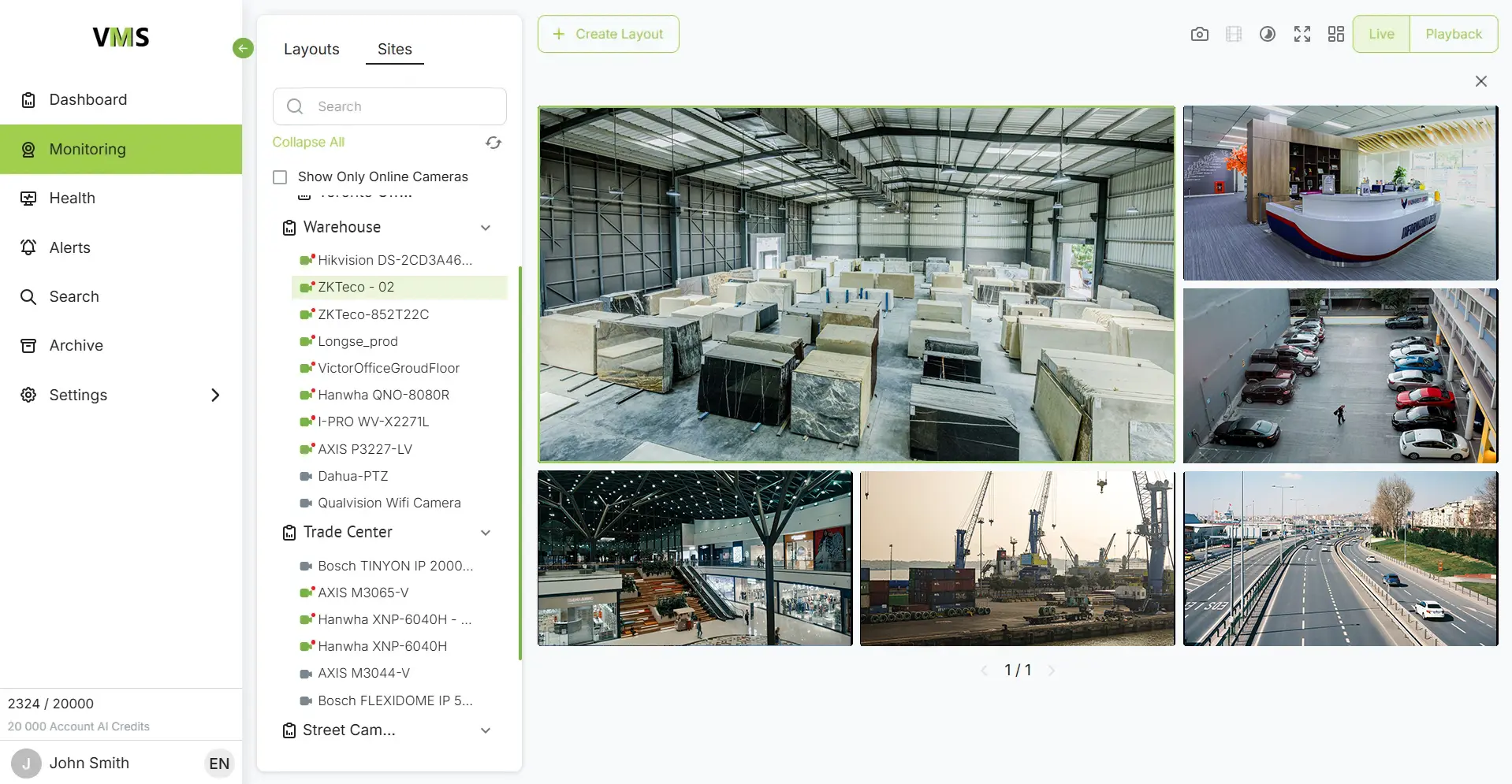
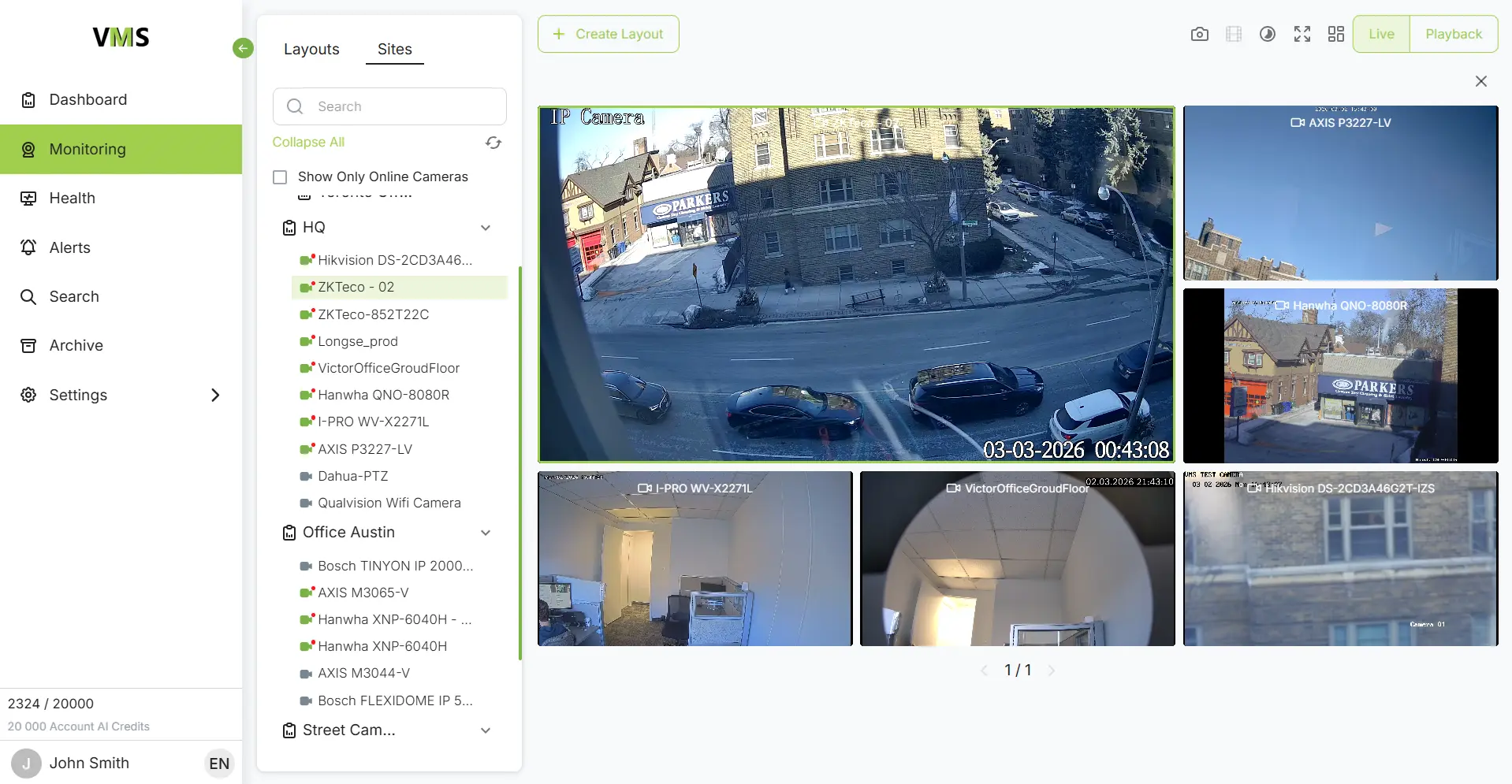
VXG: Multi-Site Video Surveillance System

VXG works with the biggest and best names in the video business

Why multi-site video security breaks at scale

Fragmented systems

Each site runs a different VMS, NVR or camera brand, so there is no unified view.

Costly on-prem footprint

Local servers, VPNs and maintenance multiply with every new location.

Operator overload

Staff watch walls of video and handle motion alerts that carry no context.

Slow investigations

Finding one incident across many sites means manually checking each system.

VXG Cloud VMS

How VXG solves it

Connect unlimited cameras, locations, devices and users in one platform. Microservices auto-scale with load and recover automatically after hardware failures.

Works with new and existing IP cameras, DVRs and NVRs through ONVIF/RTSP, with no rip-and-replace. Camera plugins and software bridges connect sites without port forwarding or VPN.

Several user authentication and authorization services can work with the same Cloud VMS. This supports regional teams, franchises, business units and customers with separated access.

Events trigger image and clip extraction, and only that data goes to AI. This cuts bandwidth and AI processing costs by up to 100x compared with continuous cloud AI.

Choose continuous or event-based recording, with retention set per camera. A Hybrid VMS option records on-prem where local storage is mandatory.

Monitor camera and system status across all locations from one dashboard, remotely and from any device.

GenAI for multi-site operations

GenAI alerts

Describe the situation in plain English and apply the rule to selected cameras across sites. Example: “Alert me if a group of more than three people gathers in the lobby for more than five minutes.”

Natural language search

Search across locations without scrubbing timelines. Example: “Show me white delivery trucks at the loading dock yesterday after 6 PM.”

Open AI platform

Run GenAI alongside facial recognition and object detection (PPE, license plates, weapons) on the same feed, and switch AI engines by condition.

Deployment and ownership

Self-hosted in your cloud or data center

Run the platform in your own cloud (such as AWS) or data center. Video, GenAI prompts and metadata stay under your control, which supports GDPR and HIPAA requirements.

White-label under your brand

Launch with your own web client and native iOS and Android apps. Full source code, SDKs and an open API let you customize and integrate the platform.

Remotely managed by VXG

Let VXG handle health checks, security patches, updates and support, so your team can focus on customers instead of infrastructure.
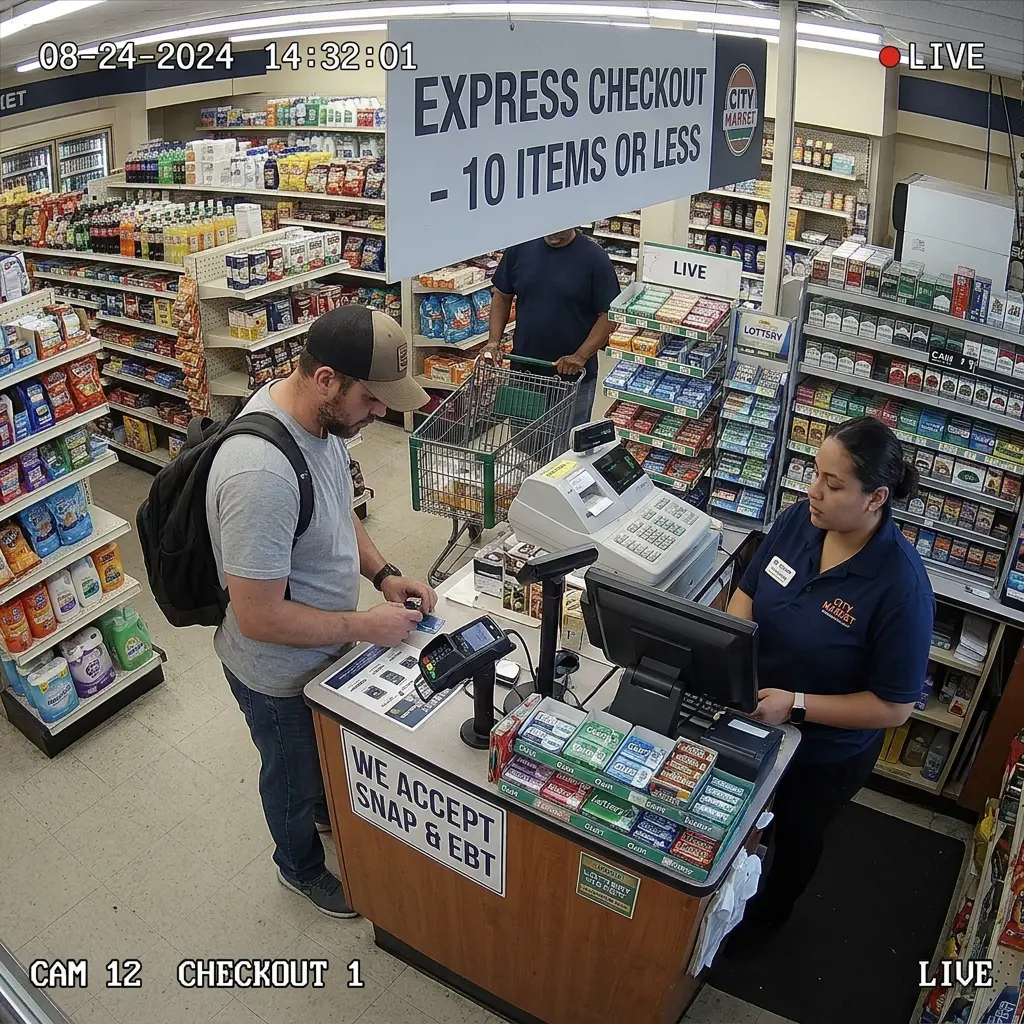
CCTV Retail Store

Typical multi-site scenarios:

Link POS and other events to clips for loss prevention, foot traffic and staff performance across stores.
Monitor security and safety protocols consistently across facilities.
Manage access, tailgating and violations across locations, with cloud, on-prem or hybrid storage.
VXG Security Camera Monitoring

Why integrate the VXG platform

The platform runs in your own cloud, so you pay no per-usage charges to the platform vendor, and your margins grow with every camera you add.

The VXG team helps you deploy and set up the platform in hours, so you can bring a branded multi-site service to customers without a long development cycle.

Offer GenAI alerts, natural language search and cloud recording as a branded subscription service and build predictable recurring revenue.

Pay a flat license of $80 per camera, with a free managed service included. This makes costs easy to predict and to build into your pricing.

Frequently Asked Questions

Yes. VXG is hardware-agnostic and works with new and existing IP cameras, DVRs and NVRs that support ONVIF or RTSP, so there is no rip-and-replace. All sites are connected to one cloud VMS with a single view of live and recorded video. If a location already runs a third-party VMS, VXG can work in parallel and add cloud recording, streaming or AI analytics.
VXG offers several connection methods. Camera firmware plugins and software bridges for routers and on-prem devices connect cameras directly to the cloud, with no port forwarding or VPN. VPN or port forwarding remains available where it is required. This makes onboarding a new location much faster and reduces the load on local IT teams.
Not with VXG's event-based pipeline. The platform filters video by events such as motion, extracts only short clips or images, and sends that small fraction of data to AI engines. Cloud AI is billed only for the data actually processed. VXG states that this approach can reduce bandwidth and AI processing costs by up to 100x compared with continuous cloud AI.
GenAI-powered alerts replace basic motion alarms with context-aware rules written in plain English. For example, you can set a rule to alert security if someone is seen carrying a ladder near the perimeter fence. The same rule can be applied to selected cameras across many sites. Operators then review relevant events instead of watching video walls.
Natural language search lets users describe what they are looking for, for example white delivery trucks at the loading dock yesterday after 6 PM. The system retrieves matching clips without manual timeline scrubbing. Video and event clips from all connected sites are available through one platform, which speeds up forensic work.
The Cloud VMS is multi-tenant by design. Multiple authentication and authorization services can work with the same platform, which supports separate access for regional teams, franchises or customers. The platform is self-hosted in your own cloud (such as AWS) or data center, so video, prompts and metadata remain under your control. This helps meet privacy requirements such as GDPR and HIPAA.
The cloud VMS is built on microservices that scale automatically with the number of cameras and services, and it redistributes the load after hardware failures. It also supports recovery to backup infrastructure after a disaster. For sites that need local recording, the Hybrid VMS adds on-prem storage with local access to live and stored video. VXG can also manage the platform for you, including health checks, security patches and updates.