Wansview Cloud App: Overview, Alternatives
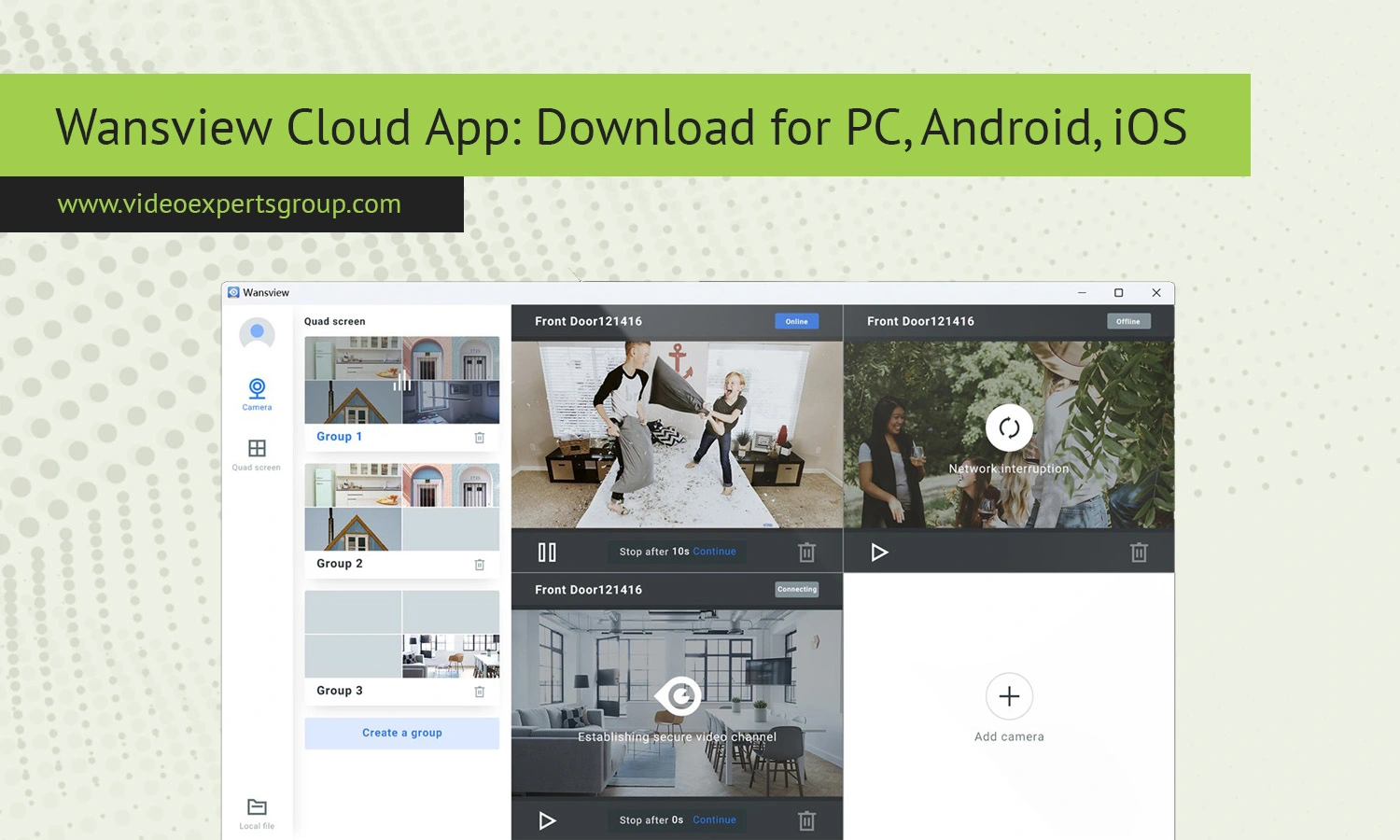
Are Affordable Home and Business security systems really as complicated as some companies make them out to be? If you have access to Wi-Fi, a smartphone or computer, you’ll find that this type of equipment can now be monitored remotely with mobile notification, cloud storage and built-in cameras. One app that is particularly well-known is the Wansview Cloud App.
This app is primarily used for monitoring and controlling Wansview cameras, enabling you to remotely watch live video, access recordings, and be notified via motion detection right from the comfort of your phone or computer.
Whether you want to watch the kids or pets in the other room or make sure everything is alright with an elderly family member in another city, Wansview Cloud app may have you covered. This guide will take you through Wansview Cloud App – what it is and what some of the top alternatives for it are.
What Is a Wansview Cloud App?
Wansview Cloud App is a smart device software application that can be installed on desktop and mobile operating system, which is mainly used to manage the Wansview security surveillance cameras and cloud supported equipment. Wansview Cloud can achieve remote access of the cameras after it connects to the internet account via devices. Wansview focuses on the indoor/outdoor Wi-Fi security cameras for consumers and smart homes.
The Cloud App is the main interface that the user manages and accesses the security cameras.
The app allows you to stream videos online in live view, intercom through the 2-way audio, control video recording and set up alarm notifications triggered by motion events. Supports almost all Wansview indoor and outdoor cameras, such as indoor pan tilt indoor cameras, indoor baby monitors, outdoor waterproof IP cameras, home security smart devices, and so on. Many users install Wansview Cloud on their mobile phones, others use the software on Windows Computers to enjoy more large-screen experience and constant management of the system.
Features
Live Video Monitoring
With this application, users can view the live streams of their camera on their smartphone or tablet. These would be perfect for checking your homes while you're away traveling, for keeping an eye on children, your pets or your small business security needs.
Cloud Storage Support
An excellent aspect of the Wansview application is its integration with cloud storage. This gives you the added advantage of storing footage online, not just on a microSD card in the device.
Motion Detection Alerts
If any suspicious movement is detected by your camera, you can get a notification sent to your smartphone or device.
Two-Way Audio
A good number of Wansview cameras come with an external microphone and a built-in speaker. These two can be controlled via the application on your smartphone or PC enabling you to listen to sounds surrounding the camera, as well as talk via the same application.
Night Vision Access
Most cameras that use this application have infra-red capabilities, and with this application you can access those night-vision streams, viewing areas at any given time, even when it's pitch dark.
Remote Playback
If you've missed a critical moment that you had scheduled the camera to record, it can be reviewed at any given time via the application on your smartphone or PC. Search for events by their date and time to pinpoint the exact moment you need to view.
Multi-Camera Management
The software allows you to view several cameras from one single interface so that it's possible for you to check multiple locations without much hassle.
Pan and Tilt Controls
Some Wansview cameras can be rotated and panned remotely via the application so you are able to access wider spaces with minimal manual interaction.
Wi-Fi Configuration
Installing cameras becomes relatively easy with this application as it will guide you through the wireless set up process using QR-code pairing as well.
Encrypted Access
With the later updates of the application, communication between the client and the cameras, as well as your account and its associated video streams, are encrypted to prevent un-authorized access.
Wansview Cloud App Alternatives
While Wansview Cloud App serves basic needs for remote home monitoring well, eventually some need additional features, increased device support, advanced management tools suitable for an enterprise environment, or integration with professional video surveillance solutions. One well-regarded alternative that fits these needs is VXG App.
VXG App
The VXG App is cloud-based video surveillance for both home and businesses, and it’s compatible with numerous types and brands of IP cameras. Instead of being limited to cameras from a single brand (like the Wansview app often is), the VXG App is built around scalable and flexible cloud monitoring and management capabilities for multiple locations and cameras from a variety of manufacturers.
Main features of the VXG App include:
- Works with different brands of cameras
- Cloud video management and recording
- Remote monitoring capabilities from anywhere
- Provides access to AI video analytics capabilities
- Supports enterprise video surveillance needs
- Secure cloud platform
- Scalable architecture for businesses of any size
- Can be used on mobile devices and desktop computers
The VXG App may be a good choice for businesses, multi-site businesses, commercial properties, and any individual who desires more powerful video surveillance functionality and management features compared to the typically simplified and proprietary camera applications from manufacturers.
FAQs
