Cloud Gateway for IP Cameras

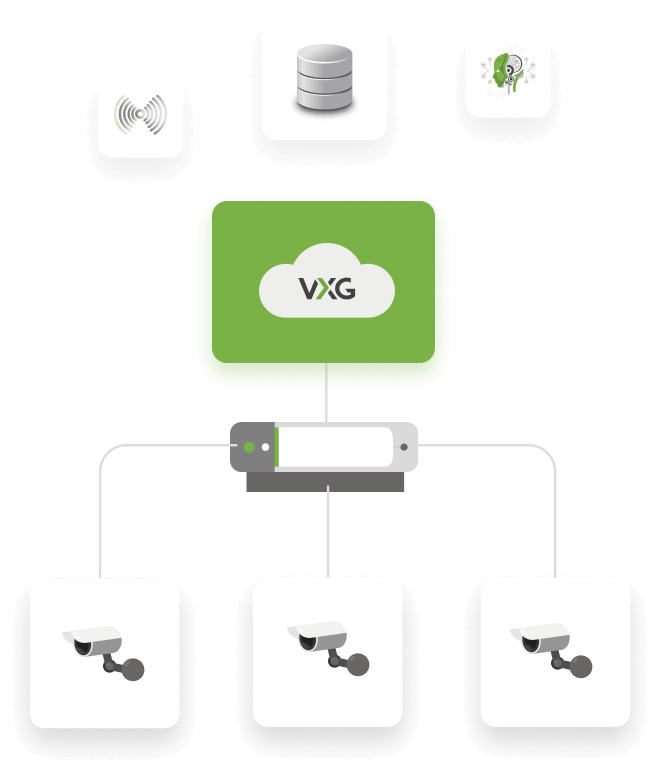
VXG Cloud Gateway is a lightweight module that runs on an on-prem micro PC, router and other IoT devices and bridges connection between IP cameras and the Cloud VMS.

Get Demo
GL.inet Router
VXG Cloud Gateway

VXG Cloud Gateway

VXG Cloud Gateway provides full remote access to an IP camera from the same local network including camera streams, events, settings, Web UI, and edge storage (SD card). It works with any standard ONVIF or RTSP camera. The video can be recorded and stored in the Cloud storage or on the edge (SD card) and then played through the Cloud VMS. It’s a lightweight package distributed in the following formats:

  • Docker image for x86 and ARM.
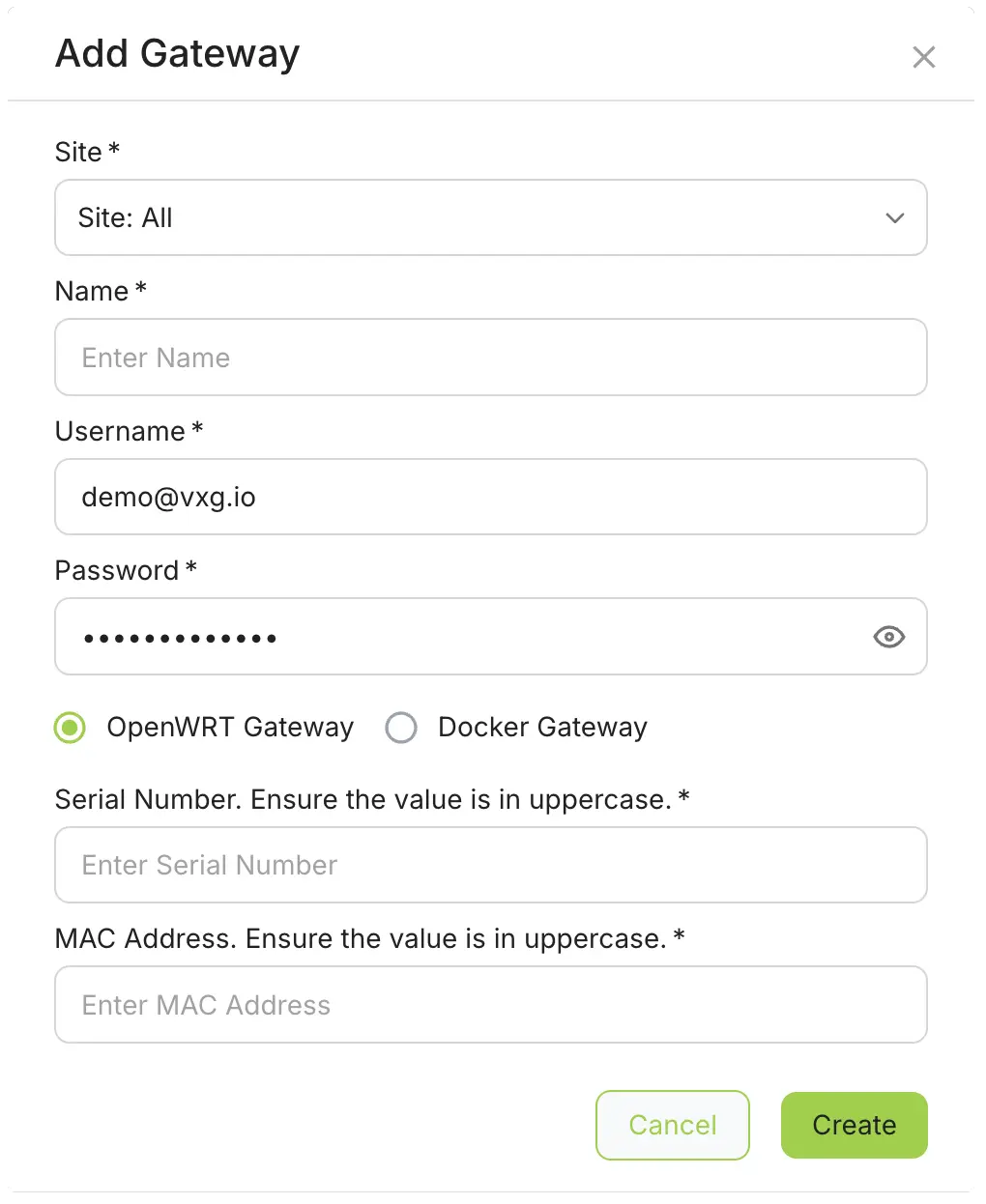
  • Software plug-in for OpenWRT routers (ex. GL.iNET).
  • Reference source code for integration with new devices.

How It Works
VXG Cloud Gateway
Add a camera
VXG App
Step 1

Install a Cloud Gateway

Download and install the software on your Linux or Windows PC, Raspberry PI, OpenWRT router or other device.

Step 2

Connect local IP cameras

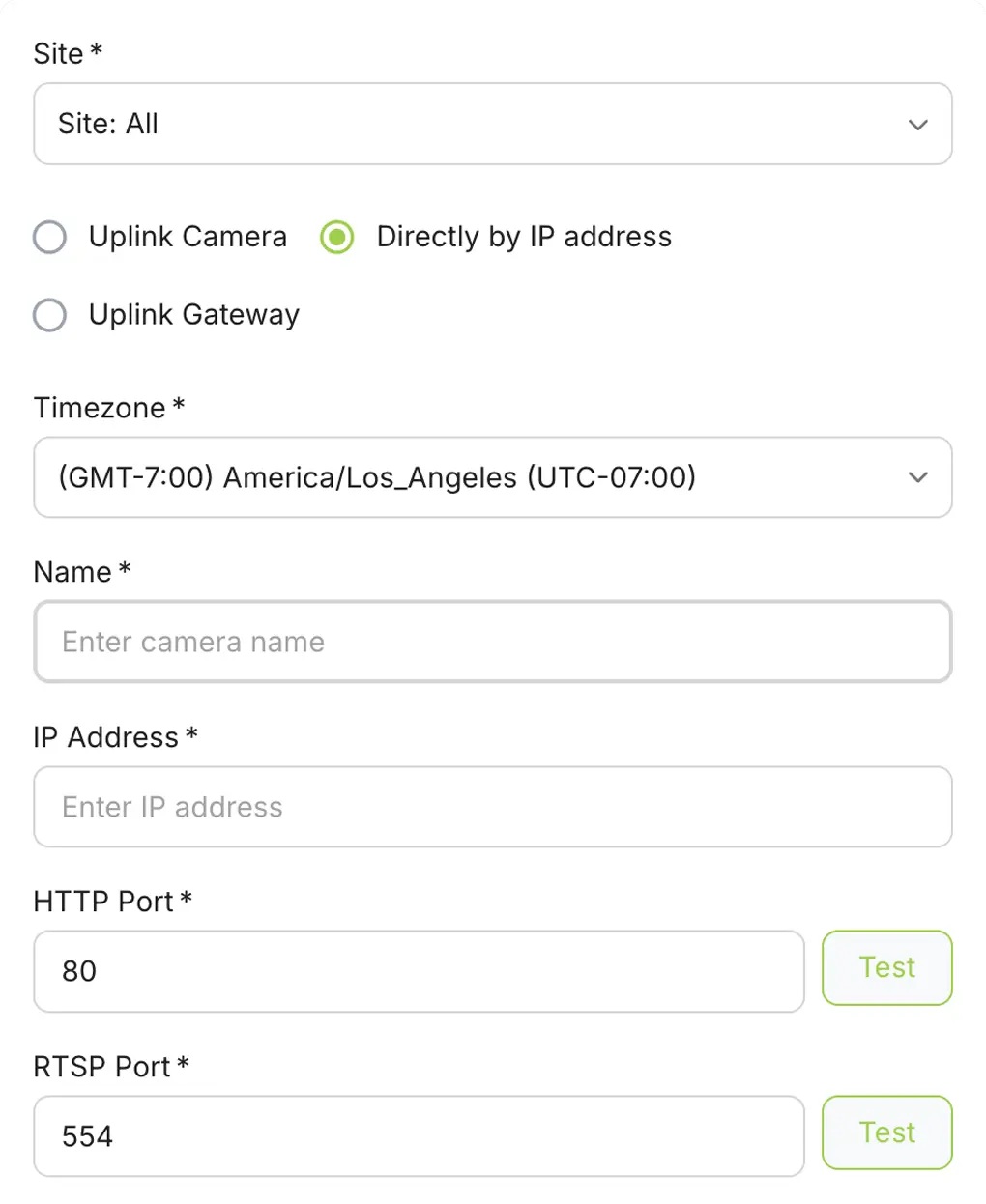
Connect local ONVIF/RTSP cameras using Web UI of the Cloud Gateway.

Step 3

Access through the Cloud VMS

Get full access to IP cameras through the Cloud VMS from anywhere, including streams, settings, Web UI and edge storage (SD card).

Specification and System Requirements

Cloud Gateway
IP cameras
Any ONVIF/RTSP IP camera
OS
Linux x86 and ARM, Windows, OpenWRT
Processor
500MHz and higher
RAM
128MB and more
Storage
250KB

Frequently Asked Questions

The VXG Cloud Gateway is a lightweight software component (available as a Docker container or Windows/Linux installer) that bridges the gap between local cameras and the cloud. It sits on your local network, discovers cameras via ONVIF or RTSP, and creates a secure outbound tunnel to the VXG Cloud. This allows you to "cloud-enable" existing IP cameras, NVRs, and DVRs without needing to replace any hardware.
No. VXG Cloud Gateway is purely software-based. You can run it on any existing hardware on-site, such as an Intel NUC, a Raspberry Pi, a spare Windows PC, or even directly on an existing Linux server. This "software-only" approach prevents hardware lock-in and significantly reduces the total cost of ownership.
No. Security is a primary driver for using the Gateway. It establishes a secure outbound-only connection to the cloud. Because the connection is initiated from inside your network, you do not need to open any inbound ports on your firewall, set up complex Port Forwarding, or maintain a Static IP. This effectively "hides" your cameras from the public internet while giving you full remote access.
The capacity depends entirely on the hardware you choose to run the software on. A simple entry-level PC or high-end Raspberry Pi can typically handle 16–32 HD streams. Because the Gateway is based on Docker microservices, it is horizontally scalable; for large enterprise sites with hundreds of cameras, you can simply run multiple instances of the Gateway to balance the load.
Yes. The VXG Cloud Gateway supports Hybrid Storage. You can configure the system to record continuously to a local NAS or hard drive while simultaneously sending event-based clips (motion, AI triggers) to the cloud. In the event of an internet outage, the Gateway ensures local recording continues and can synchronize the missing footage to the cloud once the connection is restored.
Yes. Unlike generic RTSP streamers, the VXG Cloud Gateway fully supports ONVIF commands. This allows you to remotely control PTZ (Pan-Tilt-Zoom) cameras, use two-way audio (if the camera supports it), and even access the camera's internal settings through the cloud interface as if you were standing on-site.
The Gateway acts as a smart proxy. It performs video transcoding and "grooming" at the edge. You can set the Gateway to stream a low-bandwidth "sub-stream" for multi-view live monitoring and only trigger a high-resolution "main-stream" upload when an actual security event is detected or when a user specifically requests to view a high-def recording.