1080p vs 1080i: What's the difference?
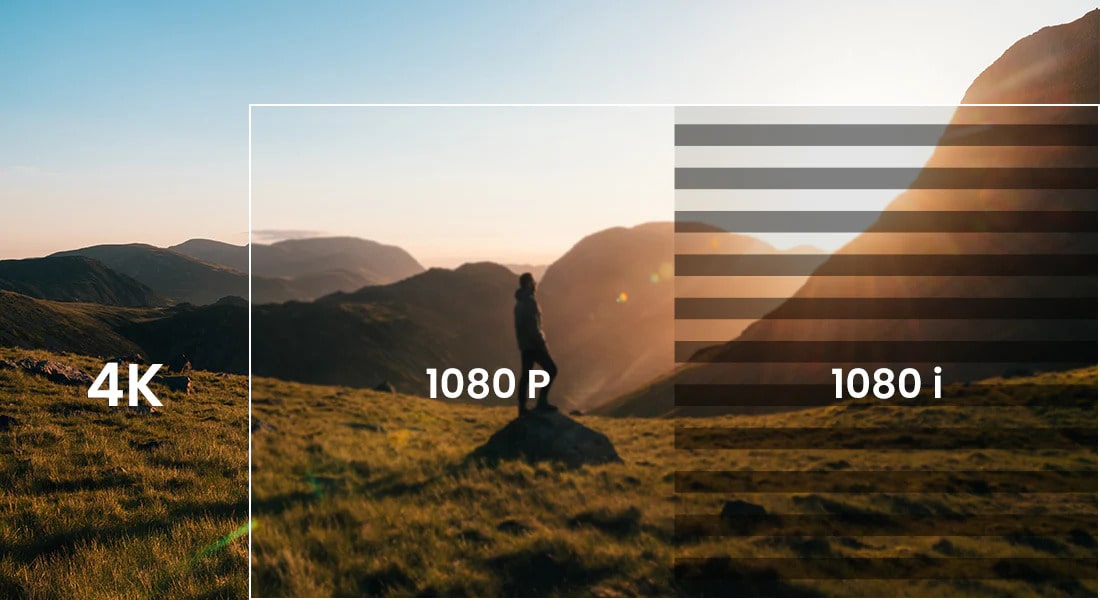
When people compare high-definition video formats, two terms appear most often: 1080p and 1080i. At first glance, they seem almost identical - both offer a resolution of 1920×1080 pixels. However, the way each format displays images is very different, and this difference affects motion clarity, detail, and overall viewing experience. Understanding how they work helps you choose the right format for gaming, streaming, TV broadcasts, and home theater setups.
What is a 1080p Resolution?
1080p stands for 1920×1080 pixels, progressive scan. With progressive scanning, the display draws all 1080 lines of each frame in sequence. This creates a full, stable image every time the frame changes.
Key points about 1080p:
- Shows the entire frame at once
- Produces smooth motion, especially in fast-moving scenes
- Ideal for gaming, sports, streaming, and large screens
- Generally delivers higher clarity than interlaced formats
Because each frame is complete, 1080p avoids the flickering and motion artifacts that can appear in older broadcast standards.
What is a 1080i Resolution?
1080i stands for 1920×1080 pixels, interlaced scan. Instead of displaying all lines at once, 1080i divides each frame into two fields:
- One field shows the odd lines
- The other field shows the even lines
These fields alternate so quickly that the human eye perceives them as a complete image.
Key points about 1080i:
- Displays half the image at a time
- Originally designed for broadcast TV to reduce bandwidth
- Works well for slow or moderate-motion content
- Can show visible motion blur or combing in fast action scenes
Many traditional TV channels still use 1080i for compatibility and bandwidth efficiency.
1080i vs. 1080p: What’s the Difference?
Although both formats share the same pixel count, their scanning methods separate them:
- Motion clarity
- 1080p offers cleaner, sharper motion.
- 1080i may show blur or “combing” in fast scenes because the two fields capture motion at slightly different moments.
- Frame display
- 1080p shows full frames.
- 1080i shows two interlaced fields that form a single frame.
- Compatibility
- 1080p is standard for modern TVs, monitors, gaming consoles, and streaming.
- 1080i is common in over-the-air and cable TV broadcasts.
- Processing
- Many TVs automatically deinterlace 1080i signals, converting them into 1080p.
- The quality of this conversion depends on the TV’s processor.
1080i vs. 1080p: Which is Better?
In most cases, 1080p is the better option because it delivers smoother motion, cleaner detail, and a more stable image. It’s particularly superior for:
- Gaming
- Sports
- Fast-paced action movies
- Streaming services
- Large modern displays
1080i may still be acceptable if:
- You’re watching standard broadcast TV
- The content involves minimal movement (talk shows, news, documentaries)
- You use an older television
For everyday viewing on modern screens, 1080p usually provides a noticeable improvement in clarity and motion performance.
FAQs
