Hanwha Wisenet WAVE: Login & Download for Windows, Mac, Linux/Ubuntu
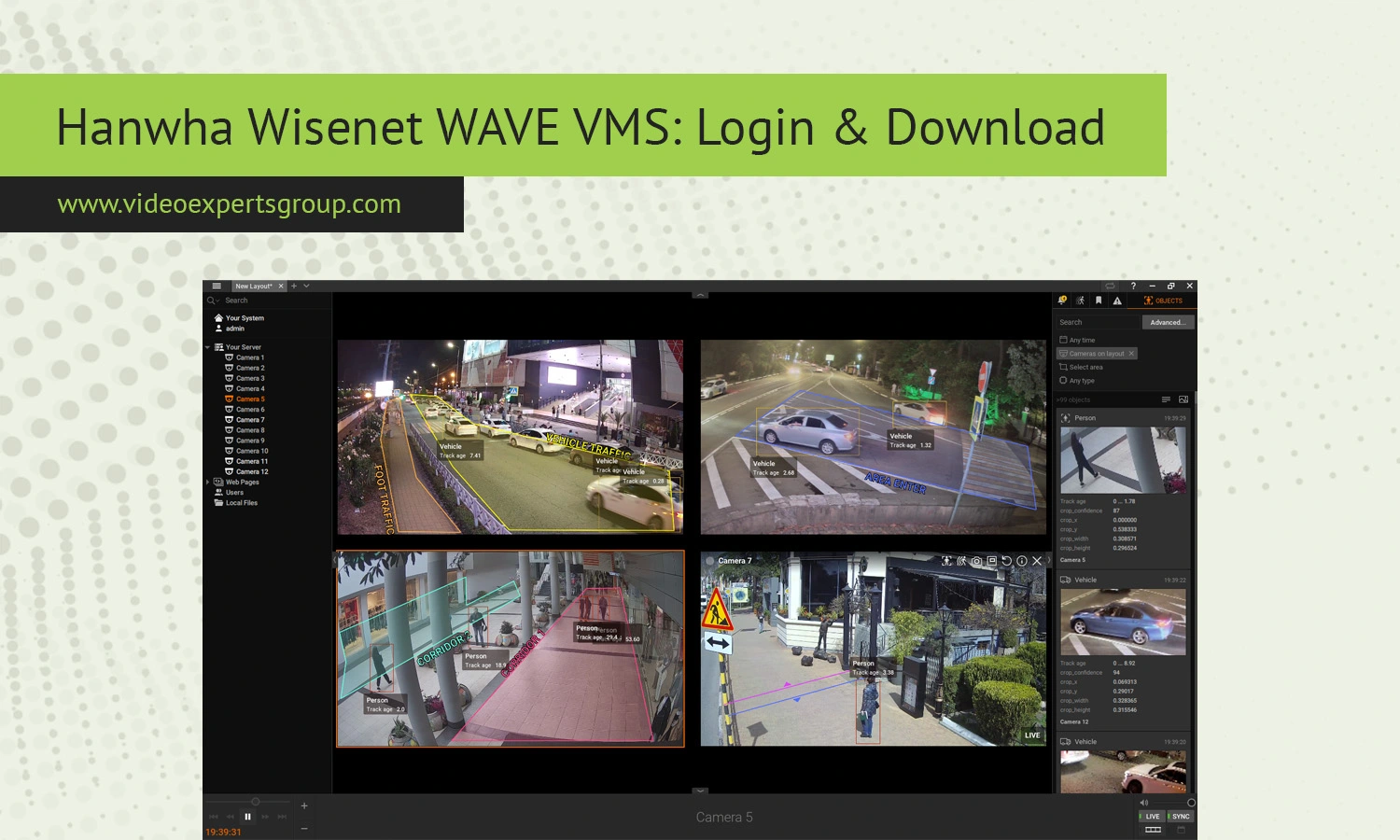
Hanwha Wisenet WAVE is a powerful and flexible video management system designed for modern IP surveillance. Whether you are managing a small business security setup or a large enterprise deployment, WAVE offers a clean interface, reliable performance, and cross-platform compatibility. In this guide, you will learn what Wisenet WAVE is, how to download and install it on different operating systems, how to log in, and what alternatives you can consider if you are exploring other options.
What is Wisenet WAVE
Wisenet WAVE is a Video Management System (VMS) developed by Hanwha Vision. It is designed to manage IP cameras, record video streams, and provide live and recorded footage through an intuitive interface. Unlike traditional surveillance systems, WAVE focuses on simplicity, scalability, and performance.
The platform supports a wide range of IP cameras, not only from Hanwha but also from many third-party manufacturers. It operates on a client-server architecture, where the server handles recording and storage, while the client software allows users to monitor and manage cameras.
WAVE is available across multiple operating systems, including Windows, macOS, and Linux, which makes it especially appealing for businesses with diverse IT environments.
Key Features
One of the main reasons Wisenet WAVE is widely used is its balance between advanced capabilities and ease of use. The interface is designed so that even users without technical expertise can navigate it comfortably.
The system supports automatic device discovery, allowing cameras to be added quickly without complicated configuration. Once connected, users can view live feeds, playback recordings, and manage system settings from a single dashboard.
WAVE also offers smart search functionality. This allows users to locate specific events quickly by filtering motion activity or time ranges. Instead of scrolling through hours of footage, you can jump directly to relevant moments.
Another key feature is scalability. You can start with a few cameras and expand to hundreds without changing the core system. This makes it suitable for both small installations and large surveillance networks.
Cross-platform support is another strong advantage. Users can access the system from desktop clients on different operating systems, as well as mobile apps.
Security is also built into the platform. WAVE uses encrypted connections and role-based access control, ensuring that only authorized users can access video data.
Cost
Wisenet WAVE follows a license-based pricing model. The cost depends on the number of cameras and the type of features required. Typically, you pay per camera channel.
There are several license tiers. Basic licenses cover standard video recording and live view, while higher tiers include advanced features such as motion detection, analytics integration, and failover capabilities.
One important aspect is that the software itself is free to download. However, you will need to activate licenses to unlock full functionality for your cameras.
For small setups, costs remain relatively affordable. As the number of cameras grows, the total investment increases, but the scalability ensures that you only pay for what you use.
Download
For Windows
To install Wisenet WAVE on Windows, download the client and server package from the official Hanwha Vision distribution platform. The installer includes both components, allowing you to set up a complete system on a single machine if needed.
Once downloaded, run the installer and follow the setup wizard. You can choose between client-only installation or a full server setup. After installation, the application will launch automatically and prompt you to configure your system.
For Mac
macOS users can download the WAVE client application in DMG format. The installation process is straightforward. Open the DMG file and drag the application into the Applications folder.
After launching the client, you can connect to an existing WAVE server or set up a new one on another machine. macOS is typically used for monitoring rather than hosting the server component.
For Linux/Ubuntu
Wisenet WAVE offers strong support for Linux, particularly Ubuntu. The server component is commonly deployed on Linux systems due to their stability and performance.
Download the appropriate package for your distribution and install it using the terminal or package manager. Once installed, the server runs as a background service. You can then connect to it using the WAVE client from any supported platform.
Linux installations are often used in enterprise environments where reliability and long-term uptime are critical.
How to Log In to Wisenet WAVE
Logging into Wisenet WAVE is simple and designed to be user-friendly. After launching the client application, you will see the login screen where you can either connect to a local server or enter the address of a remote server.
For a new installation, you will be prompted to create an administrator account. This includes setting a username and password. It is important to choose a strong password to secure your system.
If you are connecting to an existing system, enter the server IP address, your username, and your password. Once authenticated, you will gain access to the dashboard, where you can view cameras, manage settings, and review recordings.
The system also supports multiple users with different permission levels. Administrators can define roles and restrict access based on responsibilities.
Wisenet WAVE Alternatives
While Wisenet WAVE is a solid choice, it is not the only option available. Depending on your needs, you might consider alternative VMS solutions that offer different deployment models or pricing structures.
One notable alternative is the VXG cloud VMS solution. Unlike traditional systems that rely heavily on local servers, VXG provides a cloud-based platform. This means you can access your cameras from anywhere without maintaining on-site infrastructure.
VXG is particularly useful for businesses with distributed locations or those looking to reduce hardware costs. The system supports scalable deployments and integrates easily with modern IP cameras.
If you are planning to modernize your surveillance setup or move to a cloud-first approach, VXG is worth considering. Explore the platform to see how it can simplify your video management workflow and reduce operational complexity.
Other alternatives include open-source VMS platforms and enterprise-grade solutions that focus on advanced analytics and AI-powered features. Each option has its own strengths, so the best choice depends on your specific requirements.
FAQs
