Deskshare IP Camera Viewer: Overview, Alternatives
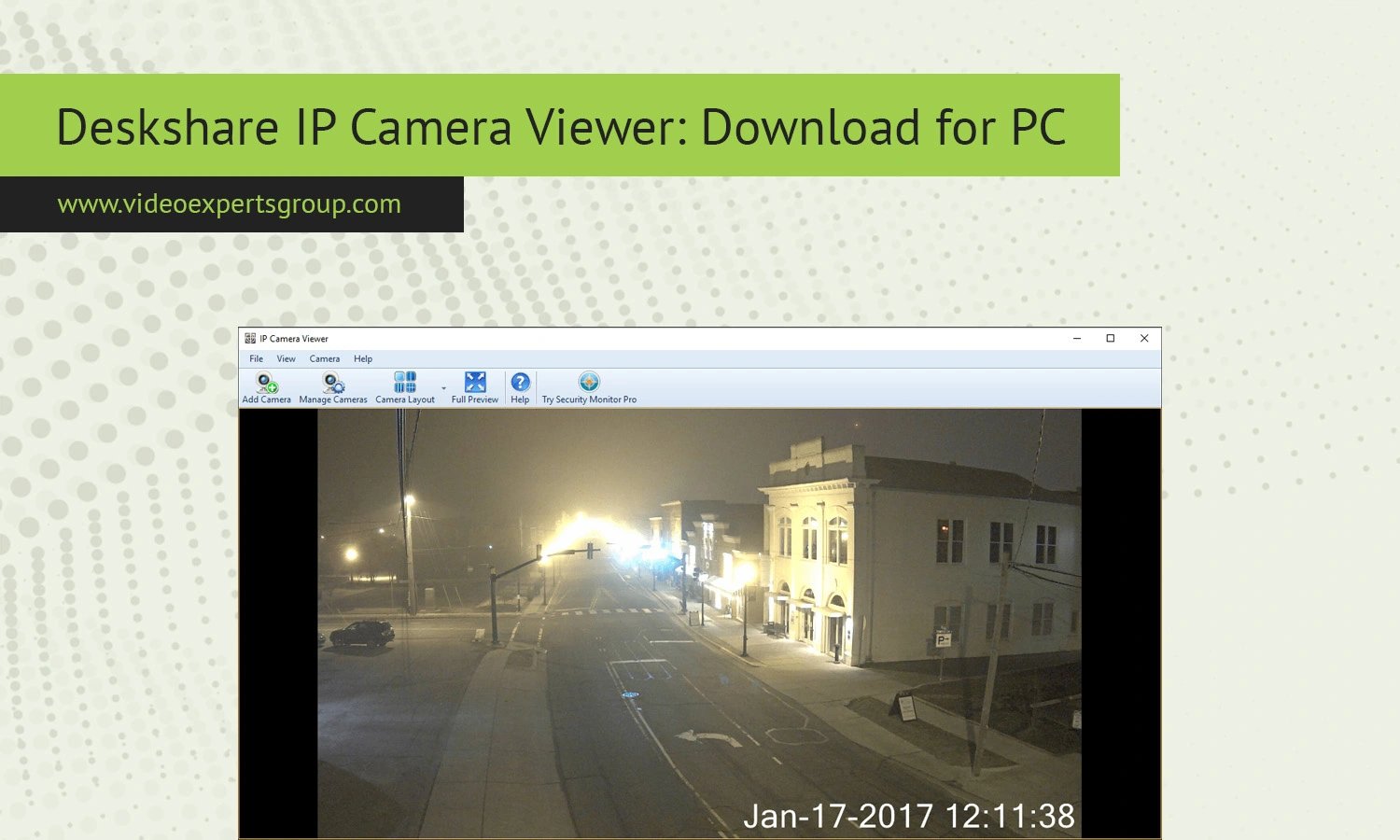
It goes without saying monitoring your IP cameras on a desktop computer is still one of the most dependable ways to keep tabs on your business and home security system, and while there are quite a few apps for these kinds of purpose that function solely in the cloud, there is a host of locally based software products that enable better privacy control and flexibility, the most popular of which happens to be, the Deskshare IP Camera Viewer, this is a free piece of software which enables users to connect to and monitor an almost limitless number of IP camera’s, without the recurring fee.
In this guide we’ll look at what the Deskshare IP Camera Viewer software is, how it performs, what it does well and what is missing from the system. We’ll even look at its compatibility and see what other products are available should Deskshare's offering be a little less appealing than we think.
About Deskshare IP Camera Viewer
DeskShare develops a family of easy to use multimedia and utility applications that run on Windows. IP Camera Viewer is one of their prominent applications designed to allow users to access IP cameras and USB webcams without the need to invest in bulky surveillance devices.
DeskShare software supports thousands of camera models of the main camera manufacturers such as Axis, D-Link, Panasonic and Hikvision, among others. This application's success largely depends on its simplicity and ease of use; even unskilled individuals can set up and connect to cameras to watch the real-time streams.
While there are complex video management system applications, IP Camera Viewer only allows one to view the live footage instead of recording, archiving or analyzing it. Thus, it's an ideal candidate if one only needs to monitor cameras live.
Features
IP Camera Viewer includes a solid set of features that cover the essentials of camera monitoring while remaining easy to use.
Multi-camera support
With the program, it's easy to combine several web cameras simultaneously and watch them. For instance, you'll be capable of seeing four cameras on your monitor simultaneously, that the small office, the flat, and retail are quite enough for.
Wide camera compatibility
It enables users to use more than 2000 kinds of models IP cameras. If your camera is not in the list,you still usually make device connect with IP camera in manually method by giving the URL of RTSP and HTTP streaming.
Live video monitoring
Real-Time video stream from the camera will be primary thing you are interested with and the software provided you a nice interface with camera toggling buttons, zooming etc, layouts for the screen to show the streams on single go or multiple ways.
Digital zoom and camera adjustments
You can zoom into particular sections of the video feed and adjust the contrast, resolution and brightness levels straight from the interface of the software.
Pan, tilt, and zoom control
If your camera hardware supports the PTZ function then this software includes elementary pan, tilt, and zoom controls to allow you to do that from here.
Password protection
Using camera authentication allows secure access to the images on your cameras, giving you peace of mind that you are the only one viewing them.
Lightweight performance
This application works smoothly on nearly all Windows versions without needing a high-end machine so that it’s perfectly suitable for elderly machines.
Compatibility
The main thing about this application called "IP Camera Viewer" it is designed exclusively for Windows. It will works fine on almost any version of Windows like Windows 7, Windows 8, Windows 10, and Windows 11. It will works on IP cameras as well as on USB webcams.
This application is designed for cameras streaming via standard streaming protocols, like MJPEG, RTSP, or HTTP.
This application does not have a native version for other operating systems like Linux or mac os, so in this case usually, other programs such as VLC Media Player or some other tools from browser could help. In terms of required hardware, the application is really modest, it should run on every dual core processor computer with a 2 GB RAM and stable internet or LAN access.
Deskshare IP Camera Viewer Alternatives
If live stream camera watching is all that Deskshare IP Camera Viewer will deliver, and you’d like more, then it simply might not be enough. For people needing advanced camera surveillance with extra controls to offer up the capability of using the cameras with such additional options such as motion detection, on-board or remote recording as well as mobile device accessibility and of course multiplatform availability, many others options on the market might be better.
VXG Player
VXG Player provides a powerful alternative that adapts to changing circumstances and standards in the IP video streaming market. With protocols including RTSP, HLS, and WebRTC, VXG Player offers a range of choices to reduce stream lag and to ensure stable video connections on desktop browsers, web browsers, mobile phones, and tablet. Its direct support for web streaming allows quick implementation without difficult local or device software setup.
iSpy
iSpy is the versatile open source video surveillance software with motion detection recording alert and remote access. It's for someone not looking for simply streaming the camera.
ContaCam
ContaCam ContaCam is small free surveillance software that supports recording with motion detection. It is easy to setup and suitable for smaller surveillance needs.
Blue Iris
Blue Iris is professional software for Windows that supports numerous security camera systems as well as offer robust feature sets including alerts, video recording and smart home integration capability. This app is excellent for users that desire a scalable and solid platform for their video surveillance needs.
Yawcam
Yawcam is an easy-to-use webcam surveillance software with streaming and motion detection capabilities. It is quite popular for personal use and beginner users.
FAQs
