iVMS-4200 Hikvision: Overview, Alternatives
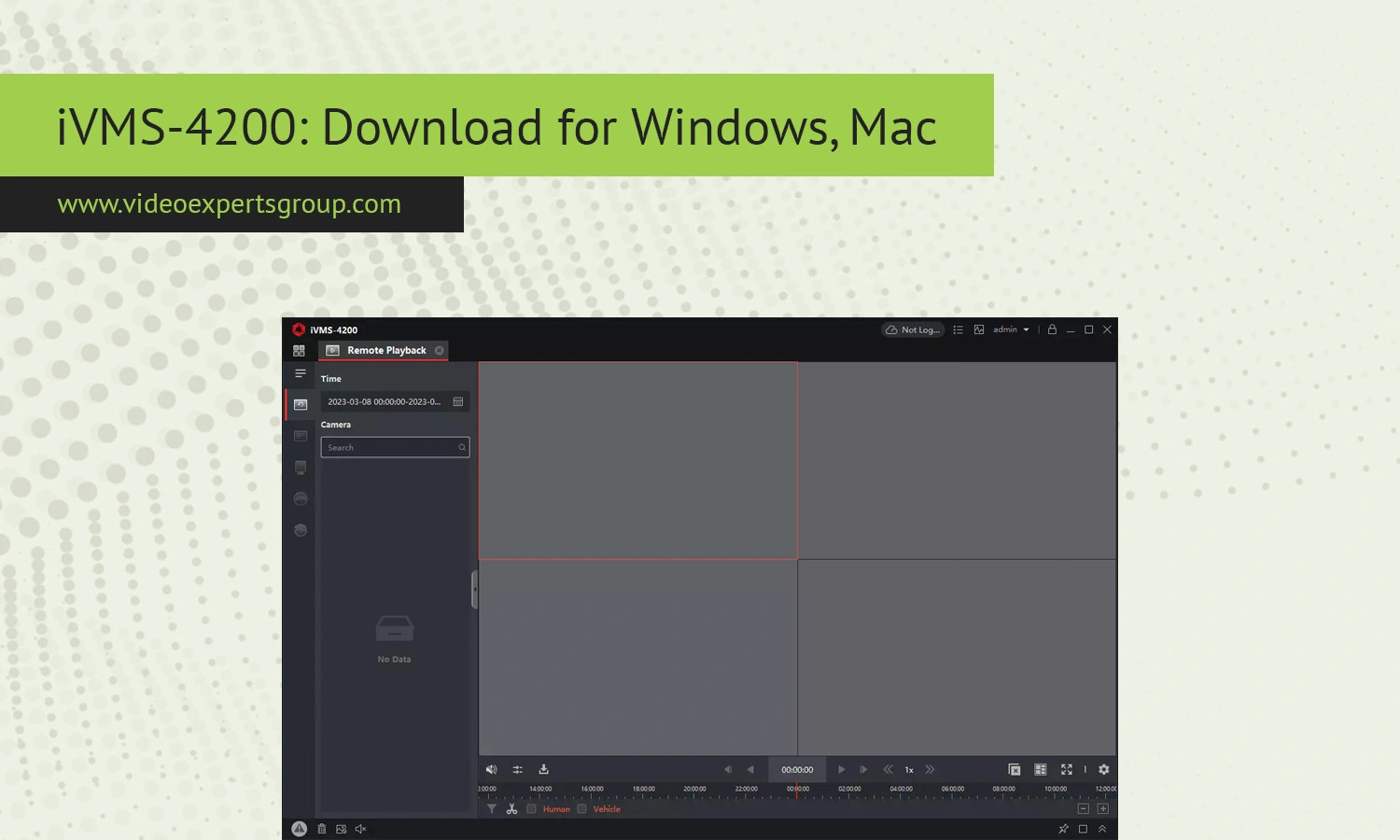
IVMS-4200, one of Hikvision's top surveillance applications for monitoring IP cameras, recorders, cameras, etc. From anywhere, and all this is done on a computer or even on the device. The interface provides the ability to display video live, replay old videos, record them, and control devices, which include access controllers, intercoms and alarm systems. This application is an effective, powerful and accessible tool for video surveillance, so the company has made the download of iVMS-4200 on your computer or smartphone possible without any problems for free.
This application can also be successfully integrated with DVRs, NVRs, and IP cameras.
So download this wonderful program right now and keep control over your property no matter where you are, and if you're concerned about the performance or don't want to clutter your hard drive and computer, then just consider this useful application called the mobile iVMS-4200, which will help you keep everything under control, even on a small screen, the effectiveness of which will not change.
About iVMS-4200
IVMS-4200 is a completely free desktop video management application used for remotely managing the surveillance devices using your computer. Think of the app as the command centre that lets you control your entire security system. It comes as the desktop application both for Windows and Mac operating systems.
The software supports a broad range of surveillance tasks:
- Live camera monitoring
- Video playback and export
- Event notifications
- PTZ camera control
- Device configuration
- Access control management
- Alarm integration
- Multi-screen viewing
- User management
The reason iVMS-4200 is widely used by the installers and various organizations is the fact that it’s the central command centre from where one can manage as many surveillance devices as possible and can monitor several remote sites. You can connect dozens and even hundreds of cameras into a single interface, considering hardware resources and licenses. In addition, with its integration to cloud remote access solutions, you’re able to stream the cameras remotely. Even if it’s going to be too overwhelming to beginners because it may look very techie, it’s a great tool that lets you fully control your professional surveillance devices.
Features
Live View Monitoring
IVMS-4200 can monitor live camera streams from connected video surveillance cameras. Using different display modes can enable users to see the situation in several areas at the same time. Split screen arrangements, instant camera changes, digital zoom, full screen view mode are all at users' convenience.Playback and Recording Management
The software supports recorded video playback from DVRs, NVRs, and IP cameras. Users can search recordings by:
- Date and time
- Motion events
- Alarm triggers
- Smart detection events
Video clips can be exported locally for backup or evidence purposes.
Remote Device Management
Administrators can add devices manually using IP addresses or automatically discover them within the local network.
iVMS-4200 also enables remote configuration of:
- Camera parameters
- Recording schedules
- Motion detection settings
- Network settings
- User permissions
PTZ Camera Control
PTZ (Pan-Tilt-Zoom) Camera support included Software supports rotating your cameras, zooming in and out, as well as establishing preset locations that can patrol for your camera from the desktop application. This feature will be most beneficial in outdoor locations such as large parking areas, warehouses, and industrial sites.
Event and Alarm Notifications
iVMS-4200 can display alerts triggered by:
- Motion detection
- Line crossing detection
- Intrusion detection
- Tampering alarms
- Access control events
- Device disconnection
Notifications help operators respond quickly to security incidents.
Access Control Integration
Some versions of iVMS-4200 support access control systems. Users can manage:
- Door controllers
- Card readers
- User credentials
- Attendance reports
- Door schedules
This makes the software useful for office buildings and commercial facilities.
Video Wall Support
These advanced deployments could take advantage of a video wall functionality to output camera feeds onto multiple screens. These video walls are frequently incorporated into control rooms and large surveillance centres.
E-map Functionality
You'll be able to use the system with electronic maps for visually dragging & dropping cameras onto floor plans or other maps. In addition, we are also making a feature so that we can automatically highlighting a camera location that is involved in an event.
User Account Management
Multiple account with varied permission levels can be created. It help organization limit access in few area of there organization and policies remain intact.
Compatibility
iVMS-4200 supports a wide range of surveillance hardware produced by Hikvision.
Supported Devices
- IP cameras
- PTZ cameras
- DVR systems
- NVR systems
- Video intercom devices
- Access control terminals
- Alarm systems
Supported Operating Systems
The software is available for:
- Windows 10
- Windows 11
- macOS
Older versions may also support Windows 7 and Windows 8, although newer releases are optimized for modern operating systems.
Hardware Requirements
The exact system requirements depend on the number of cameras and video streams.
For small installations, a basic office computer may be sufficient. Larger deployments with multiple HD or 4K cameras require:
- Modern multi-core processors
- Dedicated graphics cards
- Additional RAM
- Fast SSD storage
Performance may decrease if too many cameras are displayed simultaneously on low-end hardware.
Network Compatibility
iVMS-4200 supports local network and remote internet connections. Devices can be added using:
- IP addresses
- Domain names
- Cloud services
- Serial numbers
Stable network bandwidth is important for smooth remote monitoring.
iVMS-4200 Alternatives
Although iVMS-4200 is popular among Hikvision users, some organizations prefer cloud-based surveillance platforms with broader device compatibility and easier remote access.
One alternative worth considering is VXG Cloud VMS.
Why Consider VXG Cloud VMS?
- Cloud-native architecture
- Remote access from anywhere
- Support for multiple camera brands
- Scalable deployment
- Centralized device management
- Mobile and web access
- AI video analytics integration
- Reduced on-site infrastructure requirements
Unlike traditional desktop surveillance software, cloud VMS platforms reduce dependency on local servers and simplify remote administration.
When to Choose a Cloud VMS
A cloud-based system may be a better option if you need:
- Multi-site surveillance management
- Remote access without VPN complexity
- Centralized monitoring
- Scalable storage options
- Cross-platform accessibility
- Third-party camera compatibility
Businesses that operate multiple branches or distributed locations often benefit from cloud surveillance management systems.
FAQs
