iVMS-4500 Hikvision: Overview, Alternatives
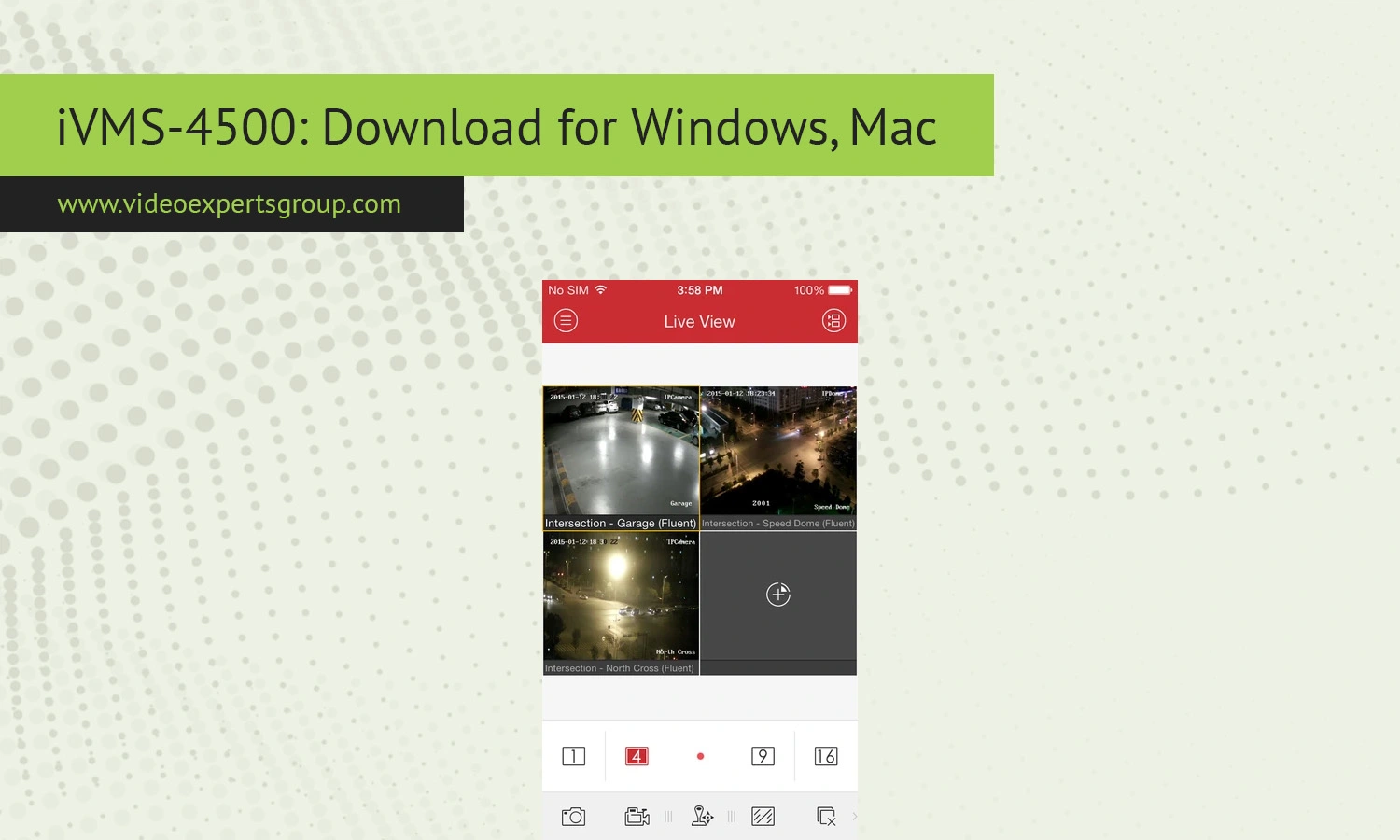
When the world went mobile, surveillance technology quickly followed suit. Many will remember iVMS-4500 as the most ubiquitous and user-friendly mobile surveillance app developed to allow remote access to videos recorded from your security devices.
The application saw immense adoption thanks to the popularity of Hikvision products, from DVRs, NVRs, IP Cameras to Video Intercom systems.
With iVMS-4500, Hikvision managed to provide remote live viewing, video playback, alarm alerts, PTZ (Pan-Tilt-Zoom) control and much more through one streamlined and elegant interface. Despite being superseded by newer Hikvision applications such as Hik-Connect in certain regions, numerous security installations worldwide are still fully dependent on iVMS-4500 to perform their day-to-day operations. This comprehensive article will explain what the software is, how to set up your device and other useful information including troubleshooting and its most relevant alternatives.
About iVMS-4500
The Hikvision iVMS-4500 is a video surveillance application developed by Hikvision. Initially, it was developed to be installed in both Android and iOS mobile device in order for you to remotely watch your Hikvision security products.
The application allows users to connect to:
- DVR systems
- NVR systems
- IP cameras
- Video intercom devices
- Network encoding devices
- Alarm systems
Through iVMS-4500, you are able to watch live feeds from a number of different camera, look through your video records, receive notifications when motion is detected and control your security devices via the local network or over the internet.
The App became a big success due to its low storage size, simple interface and full compatibility with lots of Hikvision products, many of which are sold on domestic or small business basis. The App is very common to many home owners, shops, small offices and small industrial units.
Recently Hikvision has launched another apps such as Hik-Connect but there is still some people use the existing application of iVMS-4500 as it's simple to get around and is good performance in the old devices.
Features
A wide array of monitoring and remote management functions are available in iVMS-4500. Available features differ according to the features of the connected device.
Live View Monitoring
Watch the real-time viewing on the connected cameras or recorders. Enable to watch the various sites via multi-camera view or single camera view.
- Real-time video streaming
- Multiple channel view
- HD and sub-stream support
- Portrait and landscape mode
- Digital zoom support
Remote Playback
Users can search recorded footage remotely without physically accessing the recorder.
- Timeline playback
- Date and time search
- Playback speed control
- Pause and frame-by-frame review
- Video clipping and export support
PTZ Camera Control
For compatible cameras, iVMS-4500 supports PTZ operations.
- Pan control
- Tilt adjustment
- Optical zoom
- Preset management
- Patrol configuration
Alarm Notifications
The software can receive alerts from connected devices.
- Motion detection alerts
- Video loss notifications
- Intrusion detection alarms
- Line crossing events
- Push notifications
Snapshot and Recording
Users can capture screenshots or save live video directly to their device.
- Manual recording
- Snapshot capture
- Local media storage
- Playback of saved files
Device Management
The application supports several methods for adding surveillance devices.
- IP address connection
- Domain connection
- Hik-Connect cloud access
- QR code scanning
- Manual device configuration
Compatibility
Although the application iVMS-4500 was designed for mobile applications many have begun to use this application on the desktop version of their operating system with the aid of the application of Android emulator
Supported Operating Systems
- Android
- iOS
- Windows via Android emulator
- macOS via Android emulator
Compatible Hikvision Devices
The software works with many Hikvision products released over the years.
- Turbo HD DVRs
- Network Video Recorders
- Standalone IP cameras
- PTZ cameras
- Video door stations
- Access control systems
Internet Requirements
For remote access outside the local network, users usually need:
- Stable broadband internet
- Port forwarding or cloud access
- Public IP address or P2P service
- Proper firewall configuration
Slow internet connections may reduce video quality or increase buffering during playback.
Troubleshooting
In a manner consistent with the surveillance apps, there could also arise circumstances when there are connection issues, failures in logging in, failure to view playbacks and live viewing. However, a simple series of remedies would usually resolve such problems.
Unable to Connect to Device
If the application cannot connect to the recorder or camera:
- Verify the IP address and port number
- Check internet connectivity
- Ensure the device is powered on
- Confirm the username and password are correct
- Check firewall and router settings
- Restart the recorder and router
Playback Not Working
Remote playback issues are often caused by:
- Incorrect time synchronization
- Missing recordings
- Low internet bandwidth
- Unsupported stream settings
- Storage device errors
Verify that recordings exist on the DVR or NVR before attempting playback.
App Crashes or Freezes
If iVMS-4500 freezes or crashes frequently:
- Update the emulator or operating system
- Clear temporary cache files
- Reduce the number of simultaneous streams
- Lower video quality settings
- Reinstall the application
No Push Notifications
Push notification problems may occur when:
- Notifications are disabled in settings
- Battery optimization blocks background activity
- The device is offline
- Alarm rules are not configured properly
Wrong Password Error
Repeated login failures may lock the device temporarily. Double-check credentials carefully before retrying.
If the password is forgotten:
- Use Hikvision password reset procedures
- Contact the installer
- Use SADP tools if supported
- Reset the device manually if necessary
iVMS-4500 Alternatives
While many users still like the good old iVMS-4500, most prefer up-to-date cloud surveillance platforms today that are more convenient in terms of usability, security and remote access. VXG App can be a great option.
Why Consider VXG App
- Cloud-based infrastructure
- Remote camera management
- Browser-based access
- Mobile applications
- Multi-site monitoring
- AI video analytics support
- Scalable architecture
- Works with many camera brands
Modern cloud VMS solutions make this significantly easier than previous generations of surveillance software that heavily rely on a localized network and hands-on setup.
When to Upgrade from iVMS-4500
Users often migrate to newer solutions when they need:
- Centralized cloud management
- Better cybersecurity
- Cross-platform compatibility
- Enterprise scalability
- Advanced AI features
- Remote administration tools
FAQs
