AXIS Camera Station (Pro/5/Edge): Download for Windows, iOS, Android
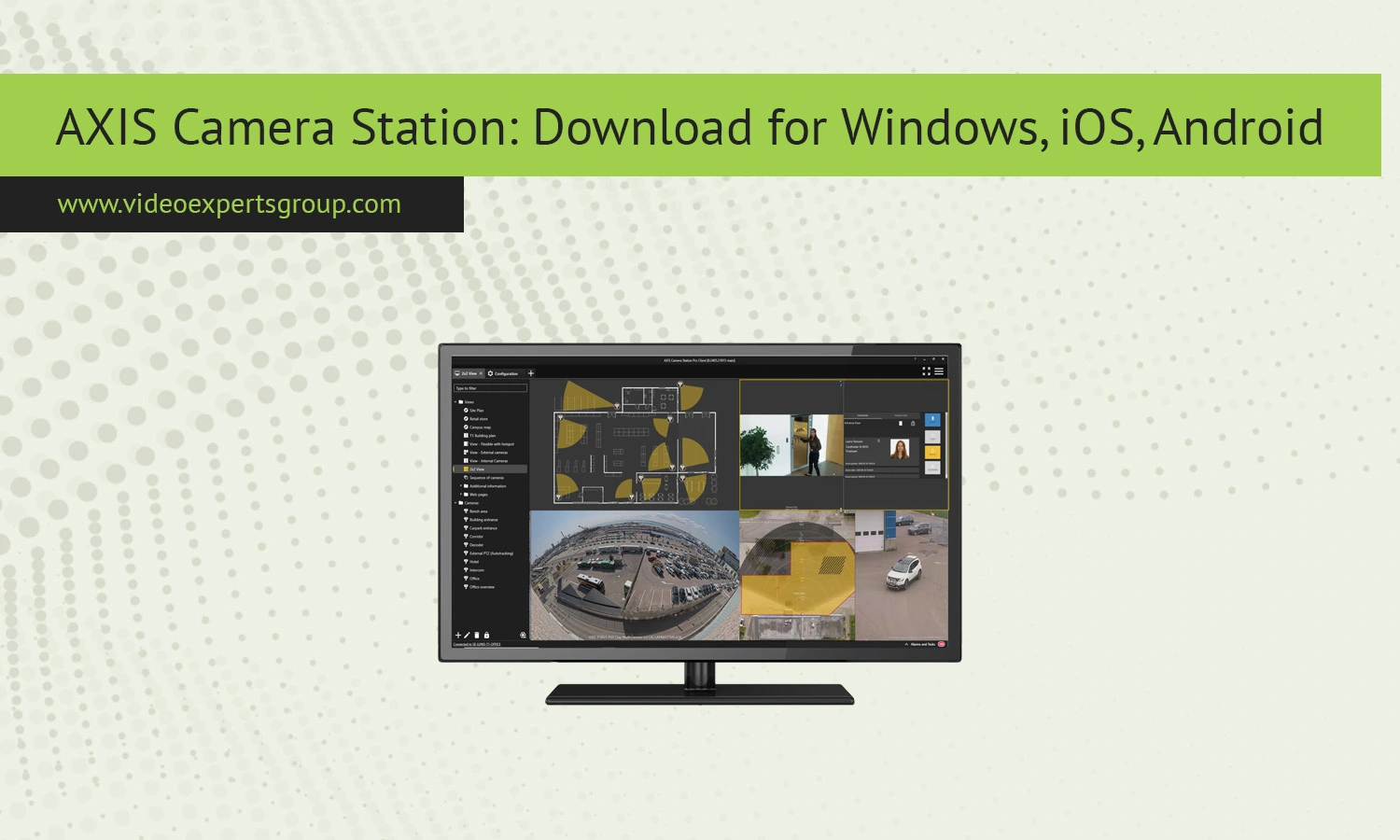
AXIS Camera Station is one of the most widely used video management systems for professional surveillance setups. Whether you are securing a small office, a retail store, or a large enterprise facility, AXIS provides flexible software solutions tailored to different needs. In this guide, you will learn about AXIS Camera Station Pro, AXIS Camera Station 5, and AXIS Camera Station Edge, including their features, compatibility, pricing, and how to download them for Windows, iOS, and Android devices.
What is AXIS Camera Station
AXIS Camera Station is a video management software developed for monitoring, recording, and managing IP cameras and video surveillance systems. It is designed to work seamlessly with AXIS network cameras, encoders, and other devices, offering a unified interface for live viewing, playback, and system control.
The platform supports everything from small single-site installations to large multi-site enterprise deployments. With its intuitive interface and strong security features, it has become a trusted choice among businesses, installers, and security professionals.
Key Features
AXIS Camera Station delivers a wide range of features that make it suitable for professional surveillance environments. It provides real-time video monitoring with low latency and high-quality streams. Users can easily switch between cameras, create layouts, and zoom in on specific areas.
The software includes powerful playback capabilities, allowing users to search recordings by timeline, motion events, or specific incidents. Smart search tools help reduce the time needed to locate important footage.
Another major advantage is system scalability. You can start with a small setup and expand it over time without replacing the entire system. Integration with access control, audio systems, and analytics tools adds further value.
Security is also a strong focus. The platform supports encrypted communication, user authentication, and role-based access control to ensure data protection.
Cloud Storage
AXIS Camera Station Cloud Storage is an add-on service designed to complement local recording rather than replace it. It provides secure off-site storage, ensuring that critical video footage remains available even in case of hardware failure, theft, or damage to on-premise equipment.
This cloud solution works alongside AXIS Camera Station Edge and AXIS Camera Station Pro, adding an extra layer of redundancy. Recordings are stored both locally and in the cloud, allowing users to access video anytime through a web client.
The service operates on a subscription basis and includes flexible storage options. By default, it offers 30 days of retention at 720p resolution per camera, with the ability to increase resolution up to 1080p or extend storage duration by combining licenses.
Security is a core component of the system. All data is encrypted, protected with two-factor authentication, and stored in selected regional data centers. This ensures both compliance and protection against unauthorized access.
Overall, AXIS Cloud Storage is best suited for organizations that require reliable backup and remote access, rather than a fully cloud-based video management system.
AXIS Camera Station 5
AXIS Camera Station 5 is the classic version of the software, widely used in small to medium-sized installations. It offers a stable and reliable environment for managing surveillance systems with a straightforward interface.
Compatible products
This version supports a wide range of AXIS network cameras, video encoders, and recorders. It is best suited for systems that do not require advanced enterprise-level features but still need dependable performance.
Cost
AXIS Camera Station 5 uses a one-time licensing model based on the number of connected devices. Each camera requires a separate license, with typical market prices ranging from $80 to $100 per camera for AXIS devices. Licenses for third-party cameras, known as Universal licenses, are usually slightly more expensive and may cost between $100 and $150 per device.
Licenses are available individually or in bundles such as 4, 16, or 32 devices, which can reduce the cost per camera in larger installations. Once purchased, the license is perpetual, meaning there are no recurring subscription fees. This makes AXIS Camera Station 5 a cost-effective choice for users who prefer a one-time investment over ongoing payments.
Download
For Windows: The software is available as a desktop client for Windows systems. It includes full functionality for configuration, monitoring, and playback.
For iOS: Mobile access is provided through a dedicated app that allows live viewing and playback on iPhones and iPads.
For Android: Android users can install the mobile app to access their surveillance system remotely, receive notifications, and review recordings.
AXIS Camera Station Edge
AXIS Camera Station Edge is a lightweight solution designed for edge-based surveillance. It runs directly on compatible cameras and devices, reducing the need for a centralized server.
Compatible products
This version works with newer AXIS cameras that support edge storage and onboard processing. It is ideal for small installations or locations with limited infrastructure.
Download
For Windows: Access is typically provided through a web interface or lightweight client for configuration and monitoring.
For iOS: A mobile app enables remote access to edge devices, allowing users to view live streams and recordings.
For Android: Android users can manage and monitor edge-based systems through a dedicated application.
AXIS Camera Station Pro
AXIS Camera Station Pro is the latest and most advanced version, designed for large-scale and enterprise deployments. It introduces enhanced performance, improved scalability, and advanced management tools.
Compatible products
This version supports the full range of AXIS devices, including high-end cameras, recorders, and integrated systems. It is suitable for complex environments such as airports, city surveillance, and corporate campuses.
Cost
AXIS Camera Station Pro typically follows a subscription-based licensing model, where costs depend on the number of connected devices and the selected service level. In most cases, pricing ranges from approximately $5 to $15 per camera per month, depending on features, storage options, and support level.
This subscription usually includes access to software updates, security patches, and ongoing technical support, which reduces the need for separate maintenance contracts. Some deployments may also bundle cloud services or advanced functionality, further influencing the final cost.
Compared to the one-time licensing model of AXIS Camera Station 5, the Pro version offers greater flexibility and scalability, making it more suitable for growing systems or organizations that prefer predictable operational expenses instead of upfront investment.
Download
For Windows: The main client is available for Windows, offering full control over system configuration, monitoring, and analytics.
For iOS: The mobile app allows secure access to enterprise systems, including live feeds and event notifications.
For Android: Android devices can connect to the system for remote monitoring, playback, and alerts.
AXIS Camera Station Alternatives
While AXIS Camera Station is a powerful solution, some users look for alternatives that offer more flexibility or cloud-based features. One such option is the VXG platform, which provides a modern video surveillance infrastructure with cloud-native capabilities.
VXG allows users to build scalable systems without relying heavily on on-premise hardware. It supports a wide range of cameras, offers advanced analytics, and simplifies remote access. If you are considering upgrading your surveillance system or moving to a cloud-first approach, exploring VXG could be a practical next step.
FAQs
