AnyCam Software: Download for PC, Android
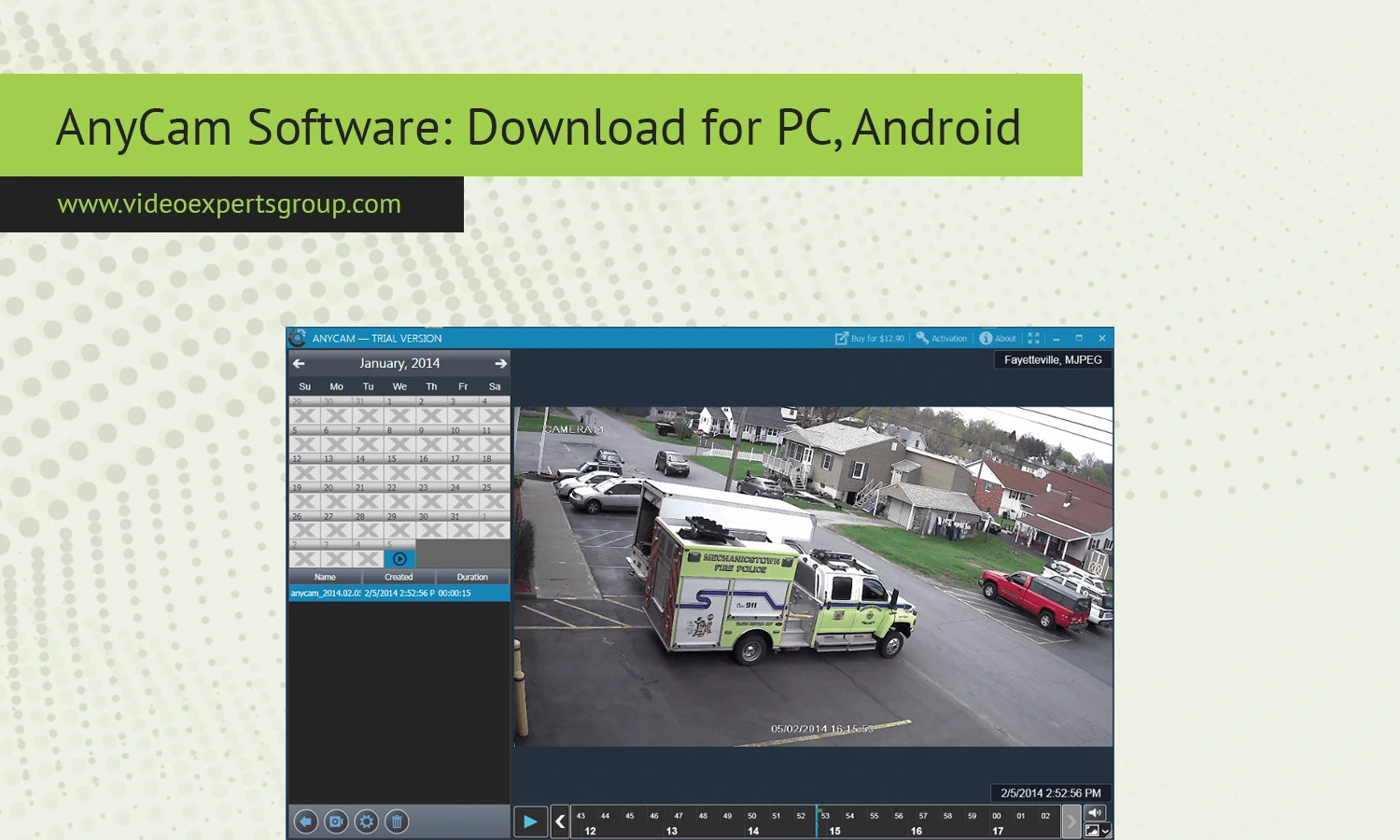
AnyCam is a lightweight yet capable IP camera viewer designed for users who want a simple way to monitor video streams from security cameras, webcams, and network devices. Whether you need to keep an eye on your home, office, or remote site, AnyCam offers a practical solution without overwhelming you with complex configuration steps. This guide explains what AnyCam is, how it works, where to download it for PC and Android, and which alternatives are worth considering.
About AnyCam
AnyCam is a desktop application built to connect to IP cameras via RTSP, HTTP, and other common streaming protocols. It is widely used by individuals and small businesses that want a straightforward monitoring tool without the need for expensive surveillance systems. The software focuses on accessibility and ease of use, allowing users to quickly add camera streams and start viewing them in a clean interface.
Unlike enterprise-grade VMS platforms, AnyCam does not require deep technical knowledge. You can add cameras manually or use auto-detection features when available. This makes it suitable for beginners while still offering enough flexibility for more advanced users who want to fine-tune their setup.
Features
One of the key advantages of AnyCam is its balance between simplicity and functionality. It supports live streaming from multiple IP cameras and lets users organize them into a single dashboard. The interface is clean and uncluttered, which helps when monitoring several feeds at once.
Another useful feature is support for RTSP streams. This means you can connect cameras from different brands as long as they provide a compatible stream URL. The software also allows basic recording, so you can save video footage locally for later review. While it may not replace a full surveillance system, it covers essential needs for casual monitoring.
AnyCam also includes snapshot capabilities, allowing users to capture still images from a live feed. This can be useful for documentation or quick sharing. The program runs efficiently on most modern computers and does not require high-end hardware, making it accessible for a wide range of users.
Security is another important aspect. While AnyCam itself is not a cloud-based system, it relies on direct connections to your cameras, which can be more private if configured correctly. Users should still ensure their cameras are secured with strong passwords and updated firmware.
Compatibility
AnyCam is primarily designed for Windows PCs, where it runs as a standalone application. It supports a wide variety of IP cameras from popular manufacturers, provided they offer standard streaming protocols such as RTSP or MJPEG. This makes it compatible with many consumer and professional camera models.
For mobile users, AnyCam does not offer a full-featured native Android version comparable to its desktop counterpart. However, Android users can still access camera streams using alternative apps or by connecting to cameras directly via supported protocols. This limitation is worth considering if you plan to monitor cameras primarily from a smartphone.
In terms of system requirements, AnyCam is not resource-intensive. It runs on most modern Windows systems without significant performance issues, even when handling multiple streams. However, performance may vary depending on the number of cameras and the resolution of each stream.
Download
PC, Windows
Downloading AnyCam for Windows is straightforward. The software is available as an installer package that can be set up in just a few minutes. Once installed, you can launch the application and begin adding camera streams immediately. During setup, you will not need advanced configuration unless your cameras require specific authentication or network settings.
After installation, it is recommended to test each camera connection to ensure the stream loads correctly. If you encounter issues, double-check the RTSP or HTTP URL, login credentials, and network accessibility. Many users find that once the initial setup is complete, the software runs reliably with minimal maintenance.
Android
While there is no official full-featured Android version of AnyCam, users can still monitor their cameras on mobile devices using compatible third-party apps. These apps typically support the same protocols as AnyCam, allowing you to reuse your camera settings. Some users choose to combine AnyCam on desktop with a mobile viewer for remote access.
If mobile access is essential, consider using camera-specific apps provided by manufacturers or universal IP camera viewers available on Android. This approach ensures flexibility while maintaining access to your camera feeds on the go.
AnyCam Alternatives
If AnyCam does not fully meet your needs, there are several alternatives worth exploring. Some provide more advanced features such as cloud storage, analytics, or mobile-first design.
VXG Player is often recommended for its strong support for IP camera streaming and modern interface. It works across platforms and offers better scalability for users who plan to expand their surveillance setup.
VLC Media Player is another popular option. It is free, open-source, and capable of playing RTSP streams. While it lacks dedicated surveillance features, it is a reliable tool for basic viewing.
iSpy Agent DVR provide more advanced functionality, including motion detection, recording schedules, and remote access. These tools are better suited for users who want a more complete security solution.
ONVIF Device Manager is useful for discovering and managing ONVIF-compatible cameras. It is more technical but can help troubleshoot connectivity issues and configure devices.
Each alternative has its strengths, so the best choice depends on your specific needs, whether it is simplicity, advanced features, or mobile access.
FAQs
