DDR RAM (Double Data Rate RAM) Explained
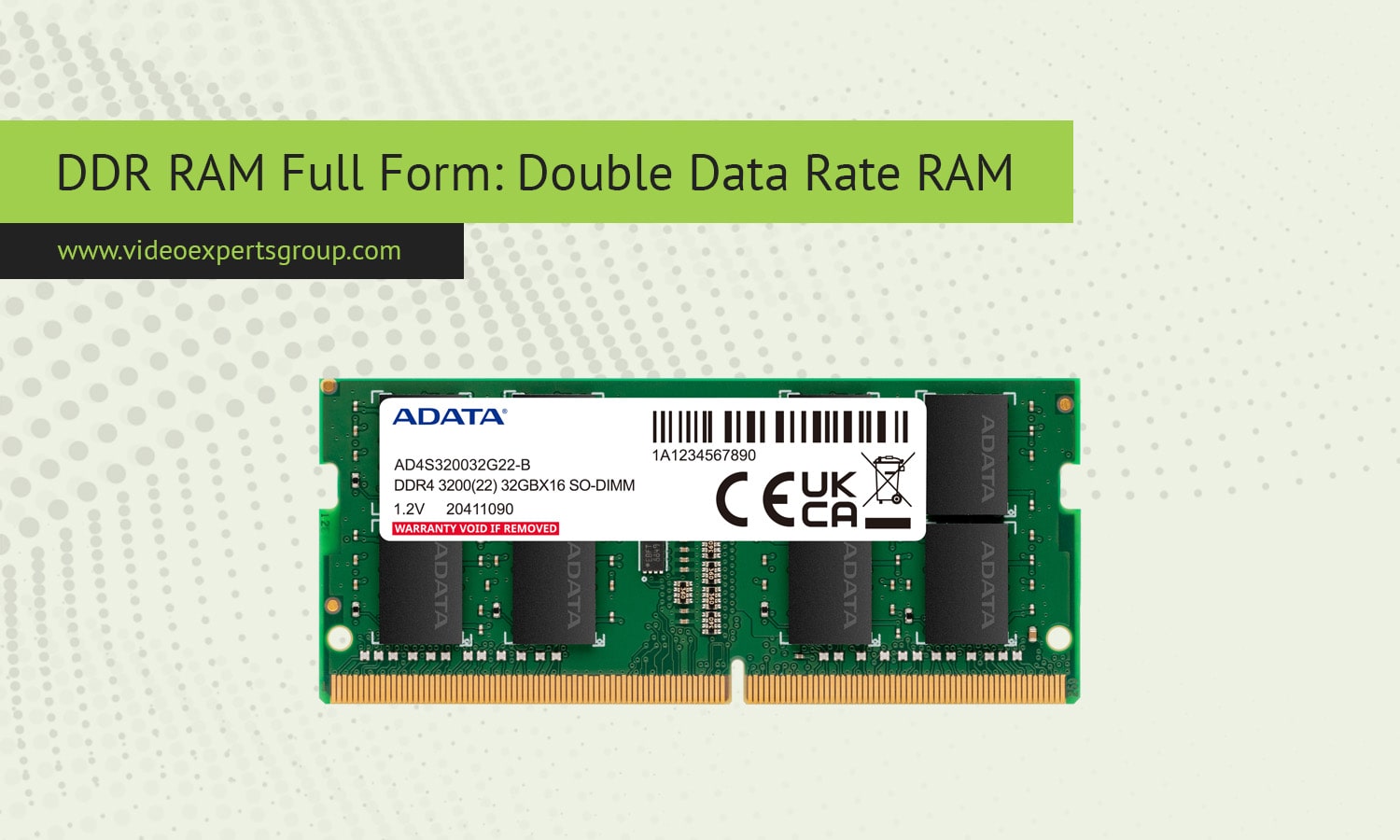
Computer memory plays a critical role in determining how fast and efficiently a system performs. One of the most widely used memory technologies today is DDR RAM. It is installed in almost every desktop computer, laptop, and many servers around the world. From gaming systems to professional workstations, DDR memory helps devices run applications smoothly and process data quickly.
Despite being a common hardware component, many users are not fully aware of how DDR RAM works or how it differs from other forms of memory and storage. Understanding the basics of DDR technology can help when upgrading a computer, building a PC, or comparing different devices. This article explains the meaning of DDR RAM, how it functions, its types, benefits, drawbacks, and how it compares with other memory technologies.
Meaning
DDR RAM stands for Double Data Rate Random Access Memory. It is a type of volatile computer memory that temporarily stores data the processor needs while running programs. The term "double data rate" refers to the way the memory transfers data twice per clock cycle, which significantly increases performance compared with older memory technologies.
Random Access Memory means the processor can access any memory location directly without reading data sequentially. This allows extremely fast access to instructions and information required by the operating system and applications.
DDR RAM is a modern evolution of earlier memory technologies and is commonly used in personal computers, laptops, gaming consoles, and servers. Because it provides high bandwidth and efficient data transfer, it has become the standard form of system memory for modern computing devices.
How DDR RAM works
DDR RAM operates by synchronizing with the computer's system clock. Unlike earlier memory that transferred data only once per clock cycle, DDR memory sends and receives information twice during each cycle. It achieves this by transmitting data on both the rising and falling edges of the clock signal.
This design effectively doubles the amount of data that can be transferred without increasing the clock frequency. As a result, computers can process larger volumes of information more efficiently while maintaining lower power consumption.
When a program runs, the CPU requests data from RAM. DDR memory quickly delivers the required information, allowing the processor to continue executing instructions without delay. If a system does not have enough RAM, it must rely on slower storage devices, which can significantly reduce performance.
DDR modules are installed on the motherboard using memory slots called DIMM slots in desktops or SO-DIMM slots in laptops. Each module contains memory chips and a controller that manages communication between the memory and the system.
Types
DDR RAM exists in several forms designed for different devices and performance needs. The most common types include standard desktop memory modules, laptop memory modules, and specialized versions used in servers and high performance systems.
Desktop DDR modules are called DIMMs and are larger in size. Laptop computers use smaller SO-DIMM modules due to space limitations. Servers often rely on ECC DDR memory, which includes error correction technology that improves reliability and data integrity.
There are also high performance DDR variants designed for gaming or professional workloads. These modules may feature higher clock speeds, improved heat spreaders, and optimized latency for better responsiveness.
Advantages
DDR RAM offers several advantages that make it the dominant memory technology in modern computers.
One major advantage is higher data transfer speed. By sending data twice per clock cycle, DDR memory provides significantly better performance than earlier memory types.
Another benefit is improved system efficiency. Faster memory allows processors to access data quickly, which reduces bottlenecks and improves multitasking capabilities.
DDR memory is also energy efficient. Newer generations operate at lower voltages, helping reduce power consumption and heat production. This is especially important for laptops and mobile devices.
Compatibility and scalability are additional strengths. DDR RAM is widely supported by modern hardware, and systems can often be upgraded with larger memory modules to improve performance.
Disadvantages
Although DDR RAM offers many benefits, it also has several limitations.
One disadvantage is volatility. Because DDR memory is volatile, all stored data is lost when the computer is powered off. This means it cannot be used for permanent data storage.
Another limitation is compatibility between generations. Different DDR generations use distinct physical designs and electrical standards, so they cannot be mixed in the same system.
Cost can also be a factor for high capacity or high speed modules. Advanced DDR memory designed for gaming or professional systems may be more expensive than basic versions.
DDR Generations
Over time, DDR technology has evolved through several generations, each offering improvements in speed, efficiency, and capacity.
DDR
The original DDR memory replaced SDRAM in early 2000s computers. It doubled the data transfer rate and provided noticeable performance improvements compared with earlier memory types.
DDR2
DDR2 introduced higher bandwidth and lower power consumption. It improved memory architecture and allowed faster data processing in many systems.
DDR3
DDR3 became widely used in laptops and desktops during the 2010s. It offered faster speeds, improved stability, and reduced voltage compared with DDR2.
DDR4
DDR4 significantly increased memory capacity and performance. It supports higher frequencies and is commonly used in modern computers and servers.
DDR5
DDR5 is the newest generation currently entering the market. It delivers even higher bandwidth, improved efficiency, and larger memory capacities designed for demanding workloads such as gaming, AI applications, and data processing.
DDR RAM vs. RAM
The term RAM refers to the general category of Random Access Memory used in computers. DDR RAM is simply one type of RAM technology. In modern consumer computers, DDR is the standard implementation of RAM.
When people talk about upgrading RAM, they usually mean installing DDR memory modules. Other types of RAM exist for specialized purposes, but DDR is the most common in everyday devices.
DDR RAM vs. SDRAM
SDRAM stands for Synchronous Dynamic Random Access Memory. It synchronizes memory operations with the system clock but transfers data only once per clock cycle.
DDR RAM is an improved version of SDRAM. By transferring data twice during each clock cycle, DDR memory effectively doubles the data bandwidth without increasing the clock speed. This makes DDR significantly faster and more efficient.
Because of these improvements, SDRAM has largely been replaced by DDR-based memory in modern computers.
DDR RAM vs. SSD
DDR RAM and SSD storage serve completely different purposes in a computer system.
DDR RAM is temporary working memory used by the CPU while programs are running. It provides extremely fast access speeds but loses all stored data when the system shuts down.
An SSD, or solid state drive, is a permanent storage device that keeps data even when the computer is turned off. It is slower than RAM but much faster than traditional hard drives.
In simple terms, RAM is used for active processing while SSDs store files, software, and the operating system.
FAQs
