Just (Video) Player: Download for Android (APK)
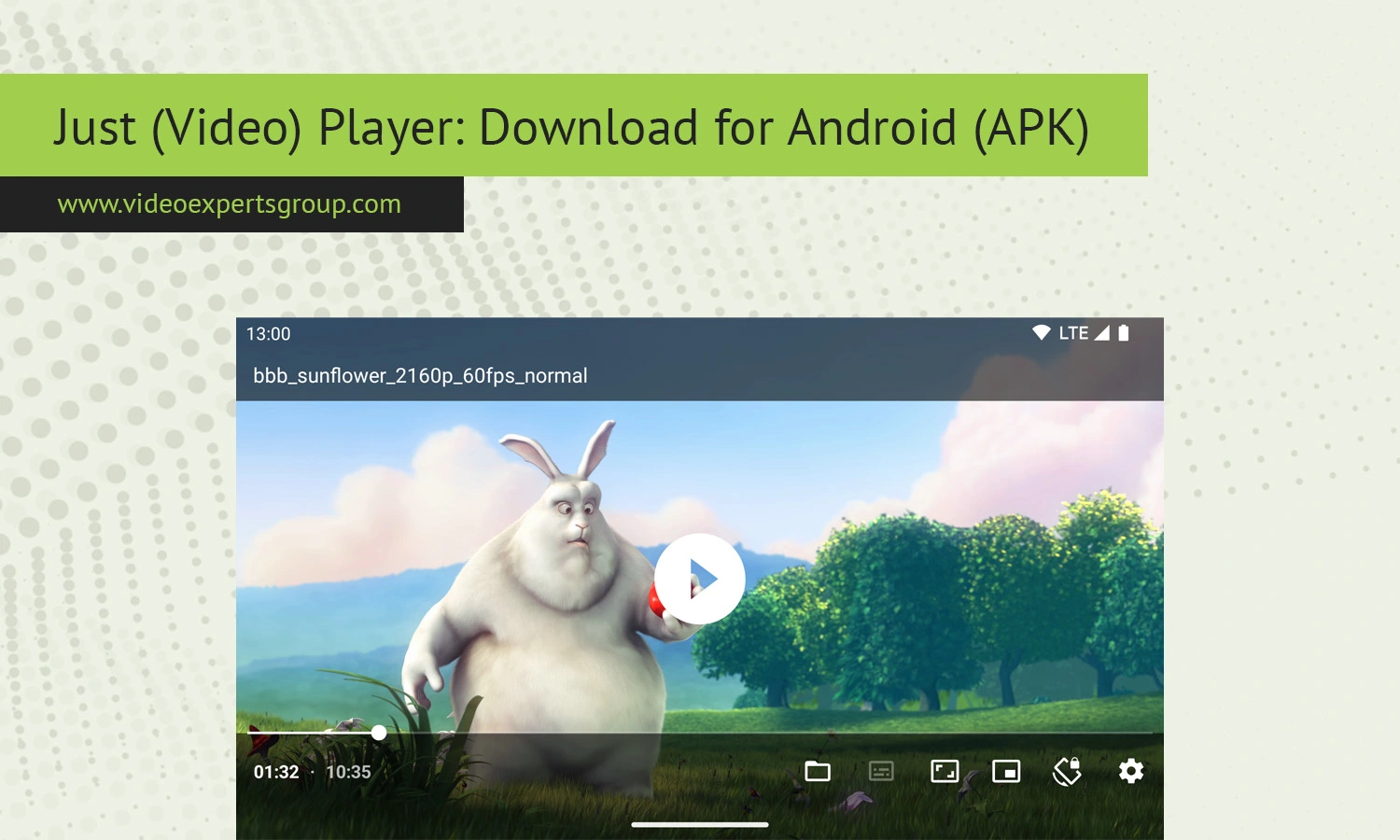
Watching videos on Android has become easier than ever, but many users still struggle to find a lightweight player that focuses on smooth playback instead of unnecessary extras. Some apps overload the interface with ads, while others demand subscriptions for features that should be standard. This is where Just (Video) Player stands out. The app focuses on delivering a clean, fast, and reliable video playback experience without clutter.
Built around the ExoPlayer framework, Just (Video) Player is known for stability, hardware acceleration support, subtitle compatibility, and broad format support. Android users often choose it because it works well even on lower-end devices while remaining simple enough for everyday use.
In this guide, you will learn everything about Just (Video) Player, including its features, supported formats, download options, differences compared to VLC, and answers to the most common questions users ask online.
About Just (Video) Player
Just (Video) Player is a free and open-source video player application designed specifically for Android devices. Unlike many media players that attempt to become all-in-one entertainment hubs, this app focuses mainly on smooth local and network video playback.
The application is developed with simplicity in mind. The interface contains only the essential controls required for watching videos comfortably. This minimal approach makes the app especially popular among users who dislike bloated media players filled with ads or unnecessary recommendations.
Because the player is based on Google's ExoPlayer project, it benefits from excellent codec support and efficient hardware decoding. This allows the app to handle high-resolution videos with lower battery consumption compared to some traditional Android media players.
Another major reason for its popularity is privacy. Just (Video) Player does not require excessive permissions, account creation, or online tracking. Many Android enthusiasts prefer it because it feels lightweight, transparent, and close to the original Android design philosophy.
The player is commonly used for:
- Local video playback
- Watching downloaded movies and TV shows
- Streaming network media files
- Subtitle-based foreign language content
- High-resolution 4K playback
- Android TV media playback
Since the project is open-source, developers and advanced users can also inspect the codebase and contribute improvements.
Features
Although the application looks simple at first glance, it includes many advanced playback features that Android users expect from a modern media player.
Clean Minimal Interface
The user interface avoids unnecessary menus and distractions. Playback controls remain accessible while preserving screen space for the video itself.
Hardware Acceleration
Just (Video) Player supports hardware-accelerated decoding on compatible Android devices. This improves playback performance and reduces CPU usage, especially for HD and 4K content.
Subtitle Support
The player supports external and embedded subtitles. Users can load subtitle files manually or rely on subtitles already included inside video containers.
Supported subtitle features include:
- Subtitle synchronization
- Font scaling
- Multiple subtitle tracks
- Embedded subtitle rendering
- UTF-8 text compatibility
Gesture Controls
Modern Android gesture controls allow users to adjust volume, brightness, and playback position with simple swipes on the screen.
Picture-in-Picture Mode
Android devices that support Picture-in-Picture mode can continue video playback while users switch to other applications.
Audio Track Selection
Many movies and TV shows contain multiple audio tracks. The player allows users to switch between languages directly during playback.
Network Stream Playback
Users can open remote media streams and network content without downloading files locally first.
Android TV Support
The app is optimized for Android TV devices and remote-control navigation, making it suitable for home entertainment systems.
Open-Source Development
Since the application is open-source, users benefit from transparent development practices and community-driven improvements.
No Ads
One of the biggest advantages is the absence of intrusive advertisements. Many users specifically install Just (Video) Player to avoid the ad-heavy experience common in free Android media apps.
Supported Formats
Just (Video) Player supports a broad range of popular video and audio formats thanks to ExoPlayer integration and Android codec support.
Common supported video formats include:
Supported video codecs may include:
Audio format support commonly includes:
Subtitle formats usually supported include:
- SRT
- ASS
- SSA
- TTML
- VTT
Actual compatibility may vary depending on Android version, device hardware, and codec availability.
Download
Just (Video) Player can be downloaded from several trusted Android app distribution platforms. Users can choose the installation method that best matches their device and preferences.
Android
The application is available for smartphones, tablets, Android TV devices, and other Android-based systems. The easiest installation method is through the Google Play Store. This option provides automatic updates and simplified installation management.
Advantages of Google Play installation include:
- Automatic updates
- Verified application signatures
- Simple installation process
- Integrated Android security scanning
Users with standard Android smartphones usually prefer this method.
APK
Some users prefer downloading APK packages directly from alternative app repositories. This is especially common among Android enthusiasts, privacy-focused users, and people without Google Play services.
Popular APK sources include:
Downloading APK files manually allows users to:
- Install older versions
- Use the app without Google services
- Test beta releases
- Access open-source repositories
Before installing APK files manually, Android users typically need to enable installation from unknown sources in device settings.
It is important to download APK files only from trusted repositories to reduce security risks.
Just (Video) Player vs. VLC
VLC remains one of the most popular media players in the world, including on Android. However, many users compare it directly with Just (Video) Player because both applications are free and support numerous video formats.
Interface
Just (Video) Player focuses on simplicity. VLC includes many additional menus, playback tools, media libraries, and streaming options.
Users who prefer a lightweight experience often choose Just (Video) Player, while power users may prefer VLC's advanced functionality.
Performance
Just (Video) Player is generally considered lighter and faster on lower-end Android devices. VLC offers broader compatibility but may consume more resources in certain situations.
Library Management
VLC includes built-in media organization and library features. Just (Video) Player intentionally avoids heavy media management tools.
Streaming Features
VLC supports more advanced streaming protocols and network playback features. Just (Video) Player focuses primarily on direct video playback.
Customization
VLC provides more settings and configuration options. Just (Video) Player keeps settings minimal and easy to understand.
Ads and Pricing
Both applications are free and generally free from intrusive advertising.
Which One Is Better?
The answer depends on user priorities.
- Choose Just (Video) Player for simplicity, lightweight performance, and minimalism.
- Choose VLC for advanced media management, broader streaming support, and deeper customization.
Try VXG Player
If you need a professional-grade Android video player for streaming, IP cameras, cloud video services, or enterprise media applications, consider trying VXG Player.
VXG Player is designed for advanced video streaming scenarios and supports:
- RTSP playback
- Cloud video streaming
- IP camera integration
- Ultra-low latency playback
- Enterprise Android applications
- High-performance video rendering
It is commonly used in professional surveillance, smart home, and enterprise streaming environments.
FAQs
