Verkada Command: Overview, Alternatives
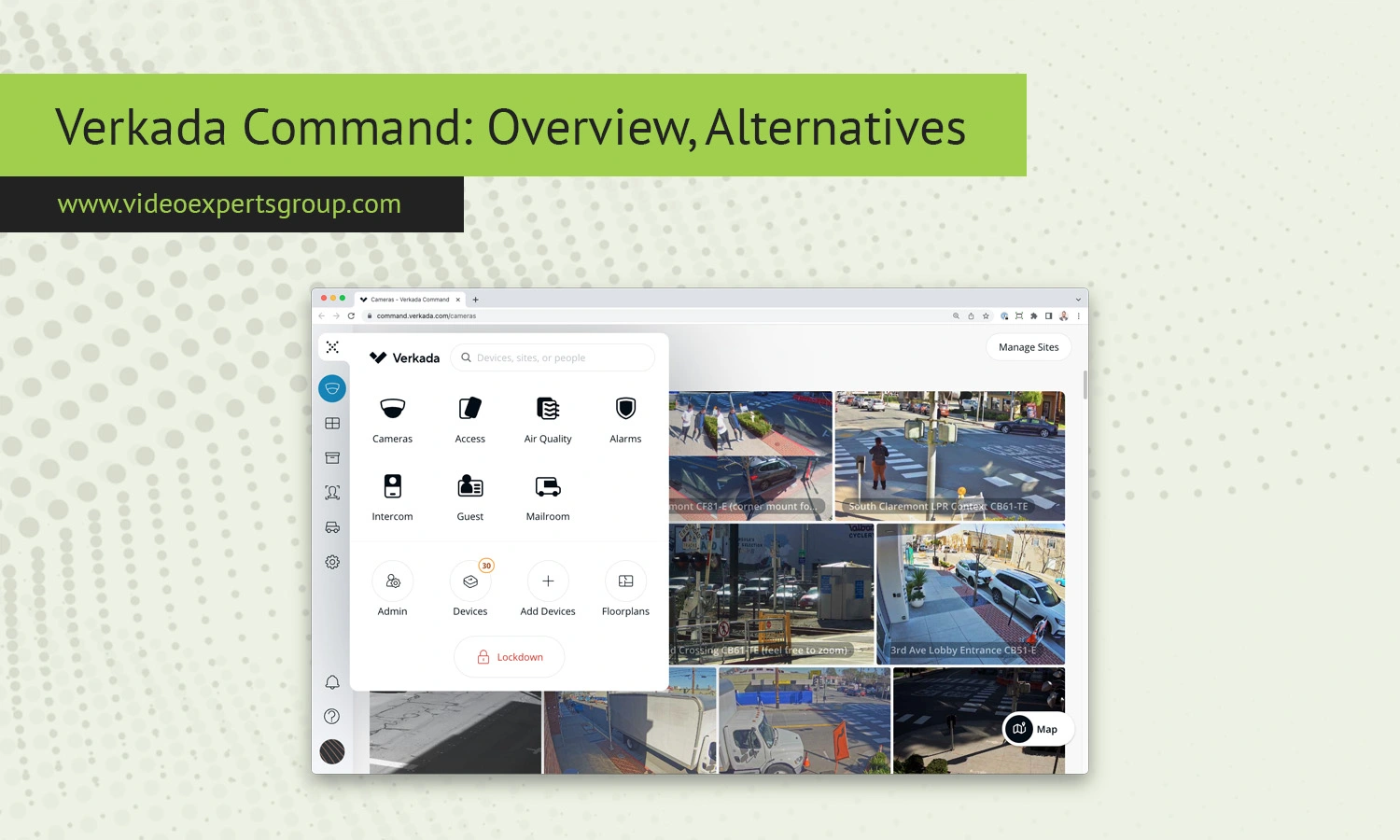
Cloud-based security platforms have transformed the modern video surveillance industry. Businesses no longer want complicated on-premise systems that require expensive servers, manual updates, and constant maintenance. Instead, organizations are increasingly moving toward cloud-managed solutions that allow administrators to monitor cameras, control access, review footage, and manage security operations remotely.
One of the most recognized names in this segment is Verkada Command. The platform combines cloud management with physical security tools, including video surveillance, access control, alarms, environmental sensors, and visitor management. Verkada Command is widely used by enterprises, schools, retailers, healthcare organizations, warehouses, and multi-site businesses that need centralized visibility and simplified management.
This guide explains what Verkada Command is, its features, supported cameras, pricing model, login process, and the best alternatives for organizations looking for more flexibility or hybrid-cloud deployment.
About Verkada Command
Verkada Command is a cloud-based physical security management platform developed by Verkada. It acts as the central dashboard for managing Verkada devices such as security cameras, access control systems, intercoms, alarms, and workplace monitoring tools.
Unlike traditional video management systems that rely heavily on local servers and NVRs, Verkada Command focuses on centralized cloud administration. Administrators can access the platform through a web browser or mobile application to monitor cameras, investigate incidents, manage permissions, configure alerts, and control devices across multiple locations.
The platform combines cloud accessibility with edge-based recording. Most Verkada cameras store footage locally on the device itself while using the cloud for management, remote access, analytics, and updates.
Verkada positions its ecosystem as a simple and scalable enterprise security solution. The interface is designed to reduce complexity while providing organizations with remote management capabilities and modern analytics.
Businesses commonly use Verkada Command for:
- Video surveillance management
- Remote monitoring
- Access control administration
- Multi-site security operations
- Incident investigations
- AI-powered analytics
- Environmental monitoring
- Visitor management
- Alarm monitoring
The platform is designed to support organizations ranging from small businesses to large enterprises with distributed operations.
Features
Centralized Cloud Management
One of the main advantages of Verkada Command is centralized administration. Security teams can manage cameras, permissions, alerts, and locations from a single interface without maintaining multiple local systems.
This is particularly useful for businesses operating across several offices, stores, schools, or warehouses.
Live Video Monitoring
Verkada Command provides live video streaming through desktop browsers and mobile applications. Users can view multiple cameras simultaneously, switch between sites, and monitor events remotely.
The system is optimized to deliver stable performance while reducing unnecessary bandwidth usage.
Cloud-Based Search Tools
The platform includes intelligent search capabilities that simplify investigations. Instead of manually reviewing hours of footage, users can search by:
- Motion detection
- People detection
- Vehicle activity
- Time ranges
- Camera location
- License plate recognition
- Facial attributes
These tools significantly reduce investigation time and improve operational efficiency.
Artificial Intelligence Analytics
Many Verkada cameras support built-in AI analytics. Depending on the camera model, the system can identify people, vehicles, objects, and movement patterns.
AI-powered features are commonly used for:
- Perimeter security
- Parking lot monitoring
- Restricted area protection
- Occupancy analysis
- Operational insights
Role-Based Permissions
Verkada Command allows organizations to assign different permission levels to employees, security staff, and administrators. This helps protect sensitive footage and reduces the risk of unauthorized access.
For example, a local manager may only have access to cameras at a single site, while corporate security teams can manage all locations.
Automatic Updates
Traditional surveillance systems often require manual firmware upgrades and maintenance. Verkada Command simplifies this process through centralized cloud-managed updates.
This reduces administrative overhead and helps organizations maintain consistent security standards.
Multi-Site Scalability
The platform is designed for businesses with multiple locations. New cameras and devices can be added without major infrastructure redesign.
Retail chains, educational institutions, logistics companies, and enterprise organizations often use Verkada Command to manage geographically distributed operations.
Mobile Access
Verkada provides mobile applications for iOS and Android devices. Mobile functionality allows users to:
- View live camera feeds
- Review recorded footage
- Receive alerts
- Manage alarms
- Unlock doors remotely
- Monitor multiple sites
Integrated Security Ecosystem
One of Verkada’s biggest strengths is the integration of multiple security technologies into a unified interface.
The ecosystem includes:
- Video surveillance cameras
- Access control systems
- Intercoms
- Intrusion alarms
- Environmental sensors
- Visitor management tools
- Workplace occupancy systems
This unified approach reduces the need to operate multiple disconnected security platforms.
Supported Cameras
Verkada Command primarily supports Verkada-branded cameras. The company offers several product categories designed for different environments and operational requirements.
Dome Cameras
Dome cameras are commonly used indoors for offices, schools, retail stores, and hospitality environments. These cameras provide wide-angle coverage and discreet installation.
Bullet Cameras
Bullet cameras are intended for outdoor perimeter protection and long-range monitoring. They are frequently installed around parking lots, warehouses, building entrances, and loading areas.
Mini Cameras
Compact mini-series cameras are designed for smaller indoor environments where aesthetics and subtle installation matter.
Fisheye Cameras
Fisheye cameras provide panoramic visibility for large open spaces such as lobbies, warehouses, and retail floors.
Multisensor Cameras
Multisensor models combine multiple lenses into a single housing to expand coverage while minimizing hardware deployment.
PTZ Cameras
Pan-tilt-zoom cameras support remote directional control and optical zoom capabilities. PTZ models are commonly used for large campuses and active monitoring environments.
Specialized Cameras
Verkada also offers specialized devices for advanced use cases, including:
- License plate recognition cameras
- Occupancy sensing cameras
- Integrated speaker cameras
- Advanced analytics cameras
One important limitation is that Verkada Command mainly supports Verkada hardware. Organizations using mixed-camera environments or ONVIF devices may encounter compatibility restrictions compared to open-platform VMS solutions.
Pricing
Verkada Command pricing is based on a combination of hardware purchases and recurring software subscriptions.
Instead of using perpetual licensing, Verkada relies on annual or multi-year subscription models that include:
- Cloud management
- Firmware updates
- Remote access
- Analytics features
- Technical support
- Platform maintenance
Pricing depends on several factors, including:
- Camera model selection
- Storage retention requirements
- AI analytics capabilities
- Access control modules
- Alarm integrations
- Number of locations
- Enterprise support requirements
Because Verkada usually provides custom quotes through sales representatives, organizations should carefully evaluate total ownership costs before deployment.
Businesses should consider:
- Initial hardware investment
- Recurring subscription fees
- Expansion costs
- Support plans
- Long-term scalability expenses
While many organizations appreciate the simplified management model, others prefer open-platform alternatives that offer greater hardware compatibility and more flexible deployment options.
Login & Setup
Creating an Account
Organizations typically receive Verkada Command access during deployment. Administrators are invited through email and can create secure login credentials.
The platform supports multi-factor authentication to improve account security.
Logging Into Verkada Command
Users can access Verkada Command through supported web browsers or mobile applications.
The login process generally includes:
- Opening the Verkada Command portal
- Entering an email address
- Entering a password
- Completing two-factor authentication if enabled
- Selecting an organization or site
Adding Cameras
Verkada cameras are usually added using device serial numbers or activation codes. Once connected to the network, the devices automatically communicate with the cloud platform.
Administrators can then:
- Name cameras
- Assign locations
- Configure recording settings
- Set retention periods
- Create alerts
- Adjust analytics options
Managing Users
Security teams can create users and assign permissions based on departments, facilities, or operational responsibilities.
Granular permission controls help organizations protect sensitive footage and maintain compliance policies.
Mobile Setup
The Verkada mobile app allows administrators and security teams to monitor systems remotely. After installation, users log in using the same credentials as the web platform.
Push notifications can be enabled for motion events, access control activity, alarms, and environmental alerts.
Verkada Command Alternatives
Although Verkada Command is a well-known cloud security platform, it may not be the best fit for every organization. Some businesses require broader camera compatibility, hybrid-cloud deployment, lower recurring costs, or greater infrastructure flexibility.
Popular alternatives include:
- Genetec Security Center
- Milestone XProtect
- Avigilon Unity
- Eagle Eye Networks
- Rhombus Systems
- OpenEye Web Services
- ExacqVision
Another strong option is VXG Hybrid-Cloud VMS.
Why Choose VXG Hybrid-Cloud VMS?
VXG Hybrid-Cloud VMS is designed for organizations that need cloud scalability while maintaining flexibility for local infrastructure and third-party devices.
Unlike closed ecosystems that focus primarily on proprietary hardware, VXG supports a wide range of IP cameras and ONVIF-compatible devices.
Key advantages include:
- Hybrid-cloud deployment architecture
- Support for thousands of IP camera models
- ONVIF compatibility
- Cloud video management
- AI analytics integration
- Remote monitoring capabilities
- Enterprise scalability
- Flexible infrastructure deployment
- Multi-tenant architecture
- Developer APIs and integrations
Organizations looking for a more flexible alternative to proprietary cloud ecosystems should consider trying VXG Hybrid-Cloud VMS.
FAQs
